



Every selected group gets a home of its own
Add the teams you selected, or import them from a spreadsheet. Each cohort shows members, health, money disbursed against planned and reports due.
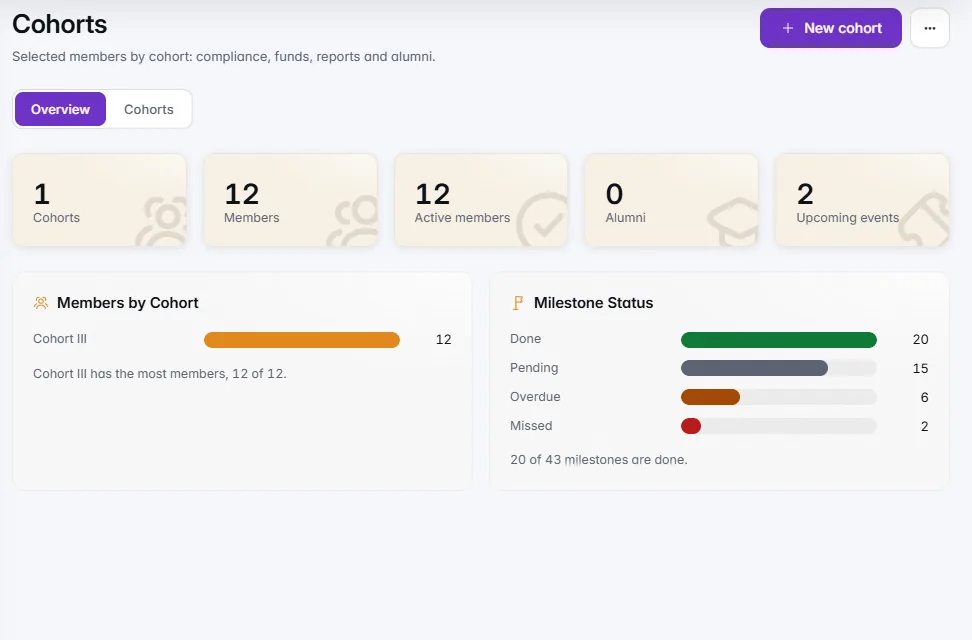
Selected teams become a cohort with its own home: agreements, compliance, funding released in tranches, milestones, mentoring and the impact your funders ask about, with a member space founders answer from their phone.
Selected teams become a cohort with a home of its own: agreements, funding in tranches, milestones, mentoring and impact.
Add the teams you selected, or import them from a spreadsheet. Each cohort shows members, health, money disbursed against planned and reports due.Create a cohort from a round and add the teams you selected there, or import members from a spreadsheet. Each cohort shows its members, their health, money disbursed against planned, compliance and the reports that are due. Selected elsewhere? Run a cohort without an open call: no form, evaluators or rounds, just the cohort, its mentors, portfolio and reports.
Every open or due milestone this month on one line, and the three companies to look at first, each with its reason in a sentence.Cohort Health puts every milestone that is open or due this month on one line, marked overdue, missed, report to review, due or done. Under it are the three companies to look at first, blocked before at risk, each with its reason in a sentence. A company is at risk when a milestone is more than a week overdue, a request has waited over 30 days or a planned tranche is late.
Agreements with signed and expiry dates, a compliance checklist with reminders, milestone reports you accept, and alumni with their outcomes.Track each member's agreement with its signed and expiry dates, and a compliance checklist of statutory documents with reminders. Members report achievements, blockers and metrics against each milestone, and accepting a report closes it. When a member finishes, graduate them with a one-line outcome and they join a searchable alumni directory.
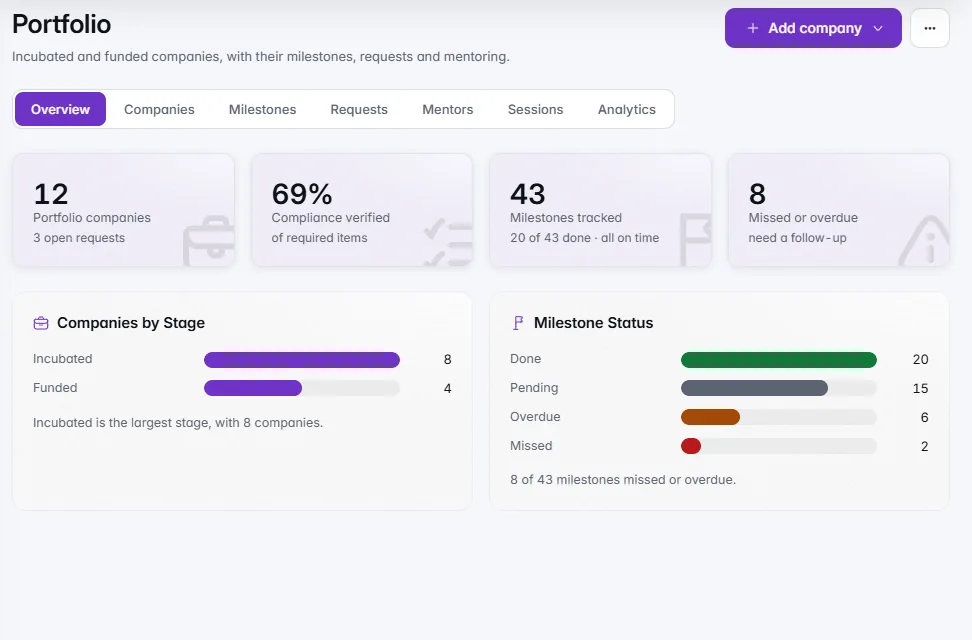
SAFEs, CCDs, equity, notes and grants released in tranches, a utilisation certificate after each, and quarterly KPIs that feed the impact report.Record the SAFE, CCD, equity, convertible note or grant behind each member, with its terms and documents, and release the amount in tranches. After each release the member uploads a utilisation certificate and an expense sheet, and you approve it or ask again. Every quarter members report jobs, revenue, follow-on funding, patents and founder figures, which feed a print-ready impact report.
Founders sign in with the same magic link and see what needs them now: KPIs, compliance, milestone reports, certificates and mentor time.Selected teams sign in with the same magic link they applied with and see their agreement, checklist, tranches, milestones, events, mentoring and documents, with what needs them now at the top. They submit KPIs each quarter, tick off compliance items, report against milestones, upload utilisation certificates, RSVP to events and book mentor time.
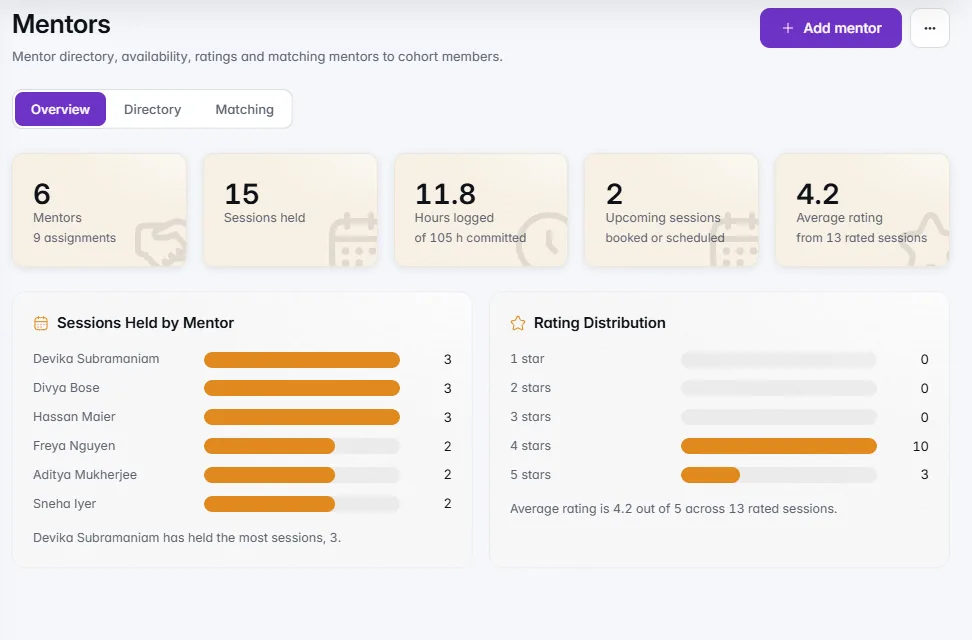
A directory with expertise, hours and ratings; matching by expertise and load; slots members book; office hours open to the whole programme.A mentor directory with expertise, the hours each can give and ratings. Matching suggests mentors for each member by expertise and load, members book from availability slots themselves, and ratings come back both ways after every session. Open a mentor's office hours to every company in the programme, create a weekly series in one go and mark attendance afterwards.

Three to five action items from one session's notes, with who and by when, and a follow-up message you send yourself. Nothing is sent for you.After a session, Notes to action items turns the mentor's notes into three to five action items, each with who does it and by when, and a short follow-up message for the founders. Edit, keep or skip each item, save them to the session, and copy the message to send yourself. IdeaScore never sends it, and names and contact details are removed before anything is read.
Add the teams you selected, or import them from a spreadsheet. Each cohort shows members, health, money disbursed against planned and reports due.
Every open or due milestone this month on one line, and the three companies to look at first, each with its reason in a sentence.
Agreements with signed and expiry dates, a compliance checklist with reminders, milestone reports you accept, and alumni with their outcomes.
SAFEs, CCDs, equity, notes and grants released in tranches, a utilisation certificate after each, and quarterly KPIs that feed the impact report.
Founders sign in with the same magic link and see what needs them now: KPIs, compliance, milestone reports, certificates and mentor time.
A directory with expertise, hours and ratings; matching by expertise and load; slots members book; office hours open to the whole programme.
Three to five action items from one session's notes, with who and by when, and a follow-up message you send yourself. Nothing is sent for you.
Cohorts
Cohort without a call
Member import
Agreements
Compliance checklist
Instruments and tranches
Utilisation certificates
Milestone reports
Impact KPIs
Impact report
Request routing
Events
Mentor matching
Ratings both ways
Alumni
Cohorts
Cohort without a call
Member import
Agreements
Compliance checklist
Instruments and tranches
Utilisation certificates
Milestone reports
Impact KPIs
Impact report
Request routing
Events
Mentor matching
Ratings both ways
Alumni
A 30-minute walkthrough with a product specialist, using your programme's form and criteria.