

Always Know Where Your Application Stands
One page per application: where it stands, what comes next, then your letter, offer and certificate. A link in your inbox signs you in.One page for each application: where it is, when to expect news and what the programme needs from you, then your letter, your offer and your certificate. No password to remember; a link in your inbox signs you in.


From Applying to a Decision
What applying to a programme that runs on IdeaScore looks like, step by step.
Apply
A form that saves as you go
Submitted
A case number
In review
You are here
Interview
Book your own slot
Decision
Your letter and your offer
What IdeaScore Gives an Applicant
Where your application is, in a few words
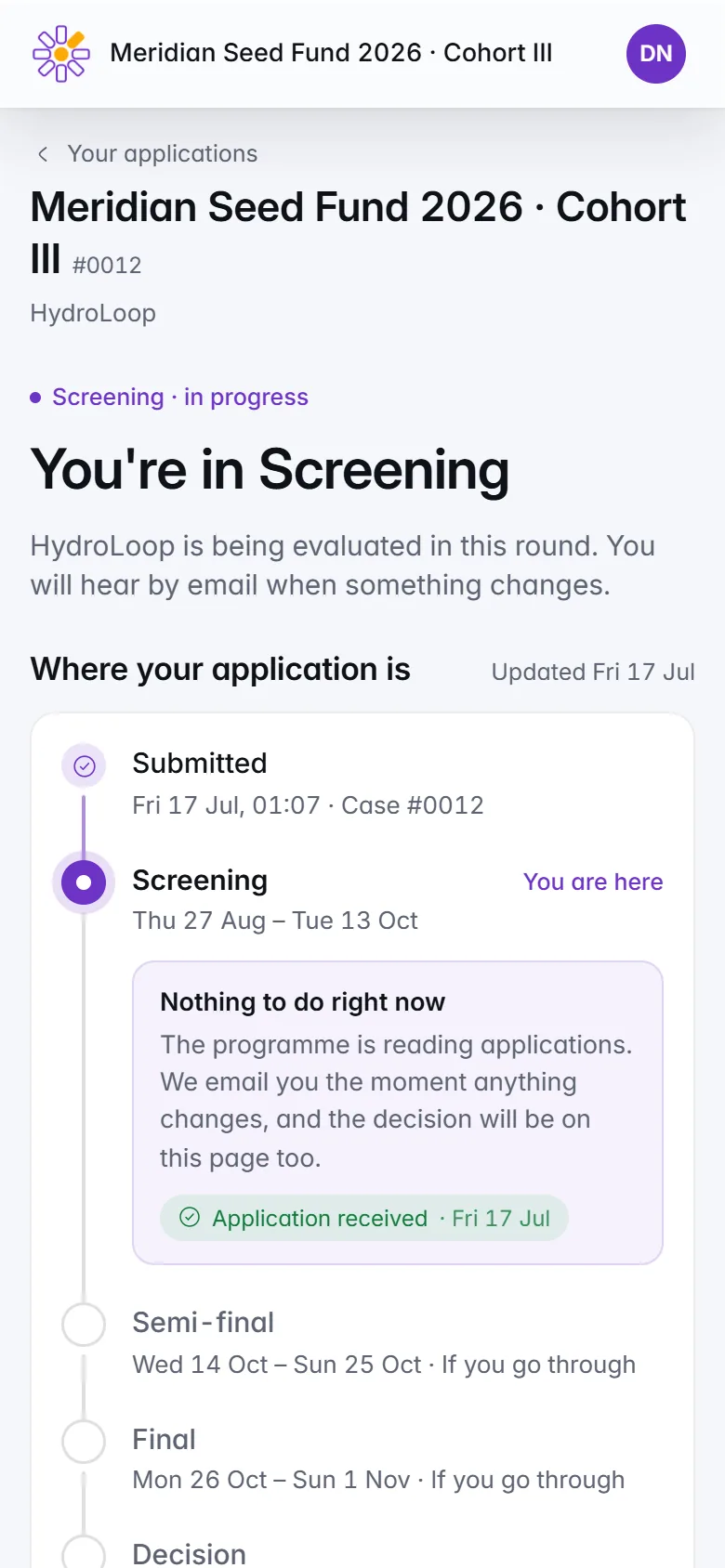
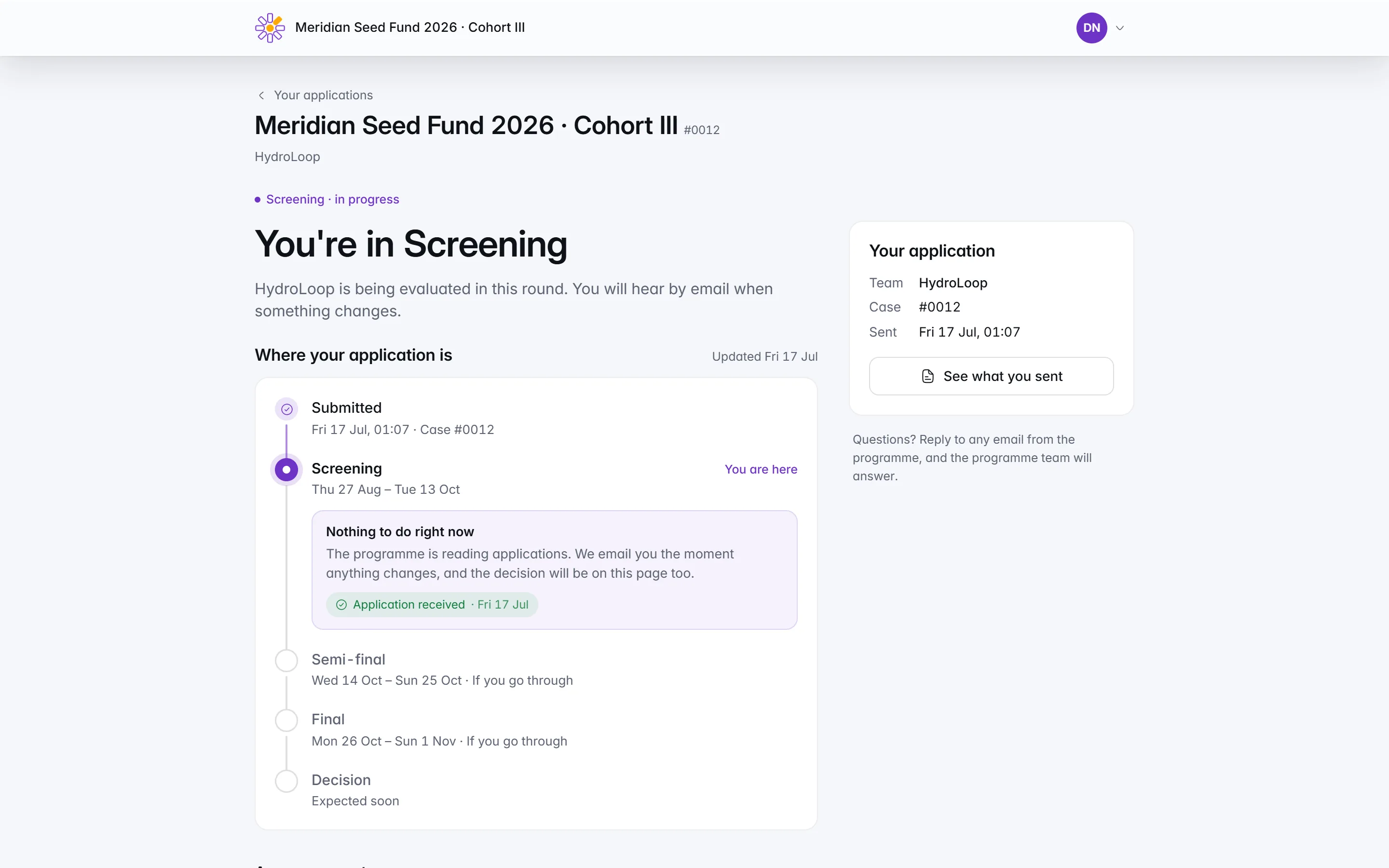
The top line says where you are and when to expect news, every stage is listed, and You are here marks yours.Open an application and the top line says where you are, such as Your application is being reviewed, with the one thing that matters now: Decisions expected by, and a date from the programme's own timetable. Every stage is listed, with You are here on yours. If that date passes without news, the page says Expected soon rather than show a date that has gone by.
A form that keeps your place
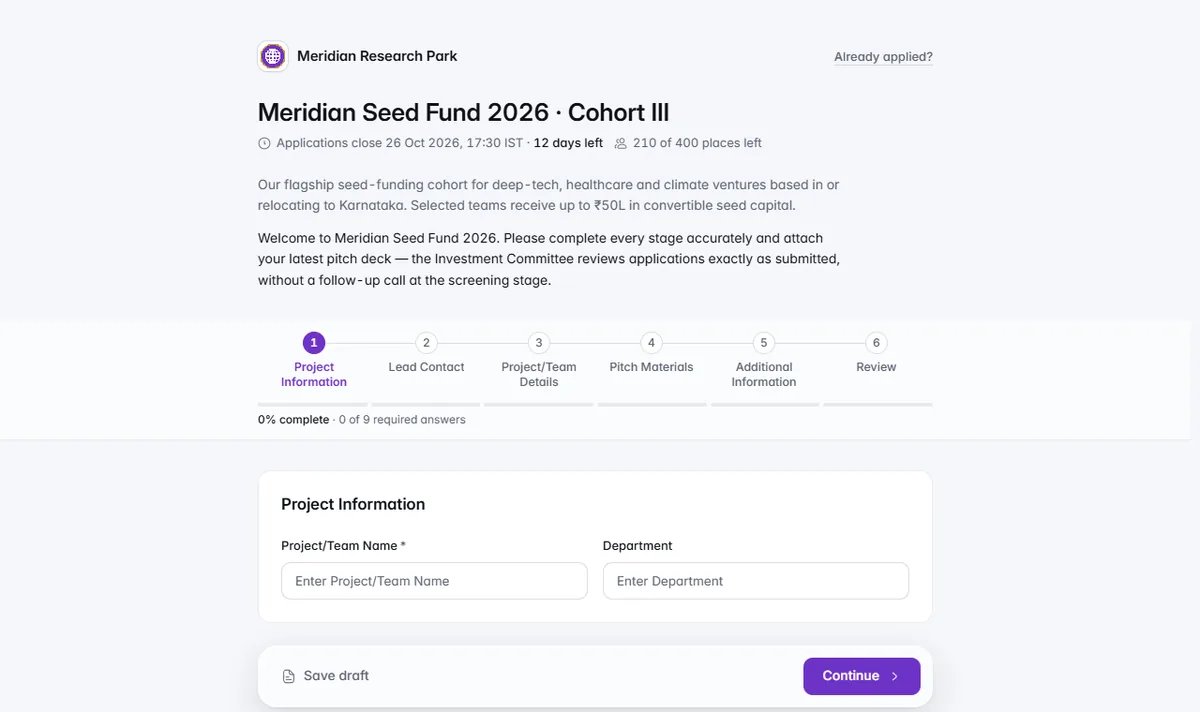
Steps, a countdown, answers saved as you go on every device, and a case number when you submit.The application form comes in steps, with a countdown to the deadline, and your answers save as you go: on this device, and on any device once you sign in. Review everything before you submit and get a confirmation with your case number. Lost the link back to a draft? Ask for it again with your email.
Accept or decline, on your own time
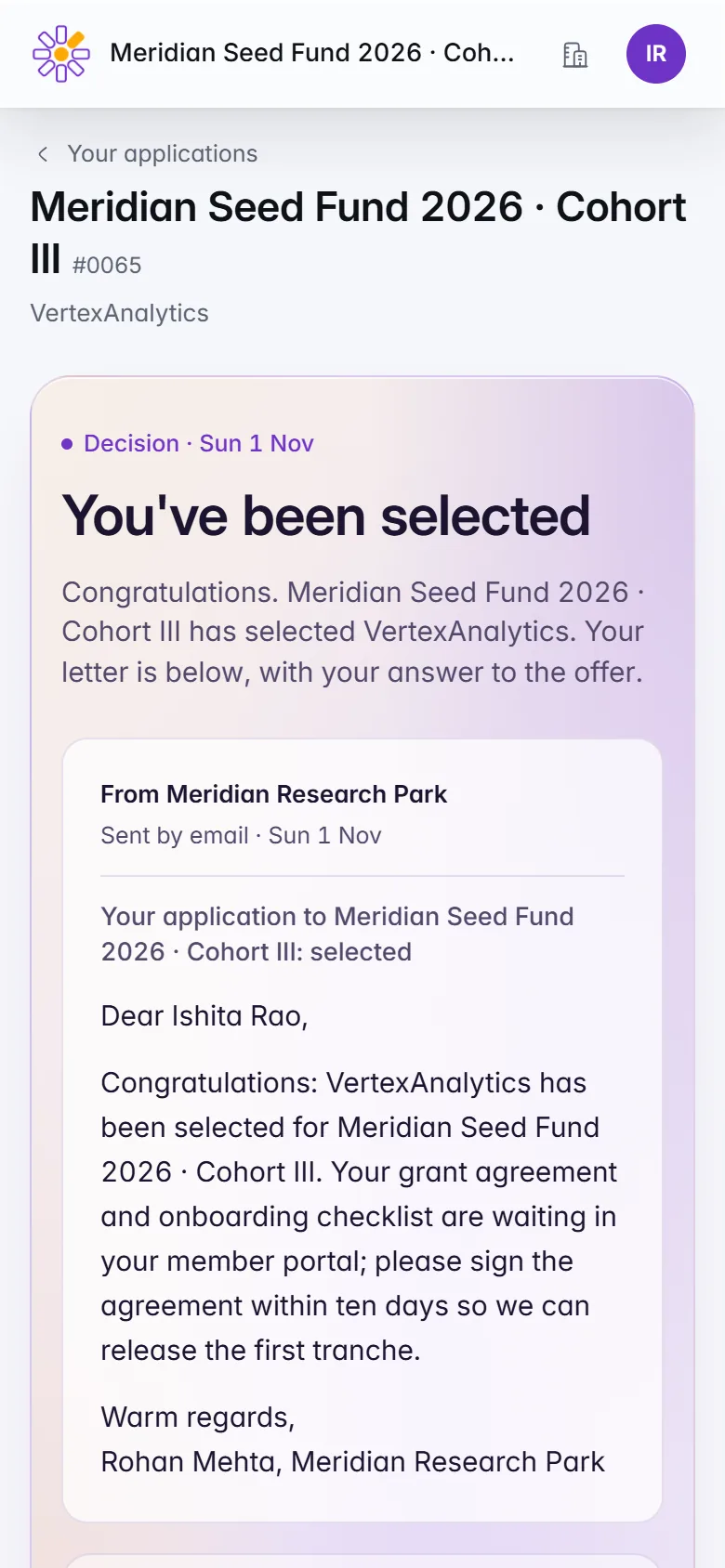
Your letter as sent, how long your place is held, and Accept or Decline, which you can change until that date.When the decision is out, the letter the programme emailed you is on the page, with the date it was sent. If you are selected and the programme asks for a reply, the page says how long your place is held. Choose Accept the offer or Decline the offer, add a note if you like, and change your answer until that date.
Book your interview yourself
Pick a free time, add it to your calendar, and cancel up to 24 hours before to pick again.When you are invited to an interview, choose a free time on the interview card. Once booked, it shows the date, the time and the place or join link, with Add to calendar for Google Calendar and Outlook. Need to change it? Cancel the booking up to 24 hours before and pick another time.
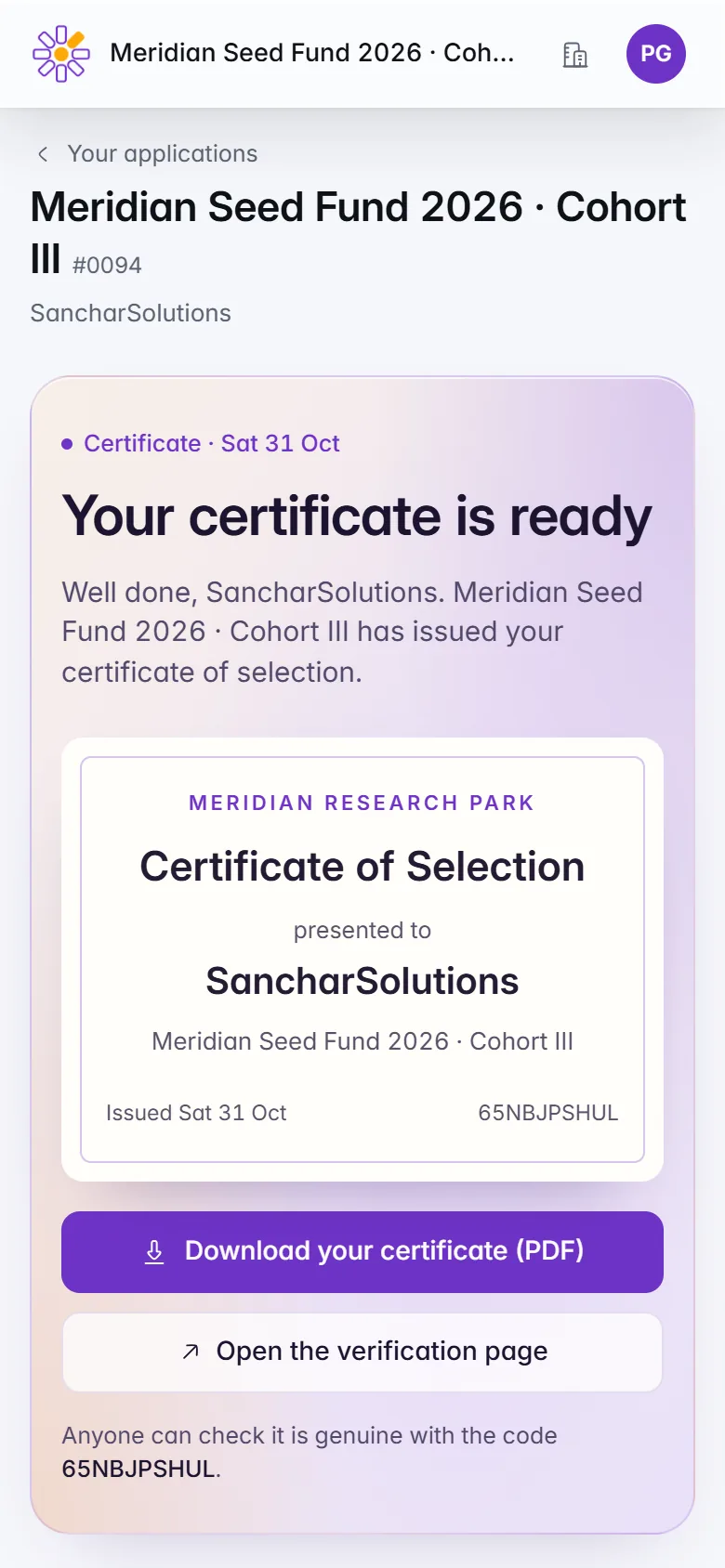
A certificate anyone can check
Download your certificate and share it. Its QR code opens a page anyone can use to check it is real.When the programme issues you a certificate, Your certificate is ready shows a preview with Download your certificate (PDF) and Open the verification page. Every certificate carries a QR code and an ID: whoever scans it sees who it was issued to, the programme, the organisation and whether it is valid, never your email address.
Your data, on your terms
Ask for a copy of your data or its deletion, answered within 30 days, and see whether IdeaScore AI helped the reviewers.Under Your personal data you can ask for a copy of your data or for it to be deleted, signed in with the email on your application. The programme answers within 30 days, and you are emailed to confirm. At the foot of every page, About IdeaScore AI says whether IdeaScore AI helped the reviewers, and how it is used.
Every application, your answers, emails and files
Your details removed; scores stay fair for others
Answered within 30 days. We email you to confirm.

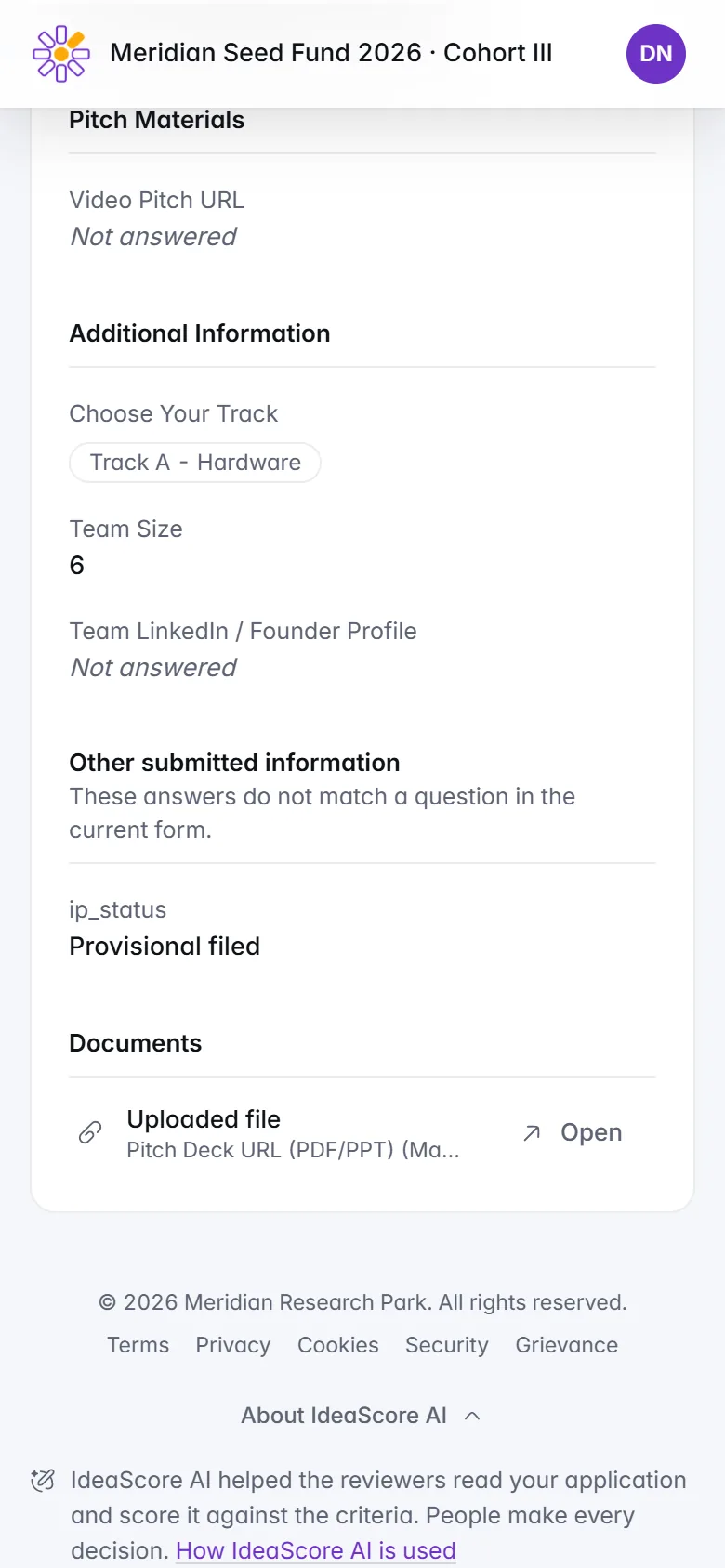
IdeaScore AI helped the reviewers read applications to this programme. People made every decision.
How IdeaScore AI is used

IdeaScore AI and Your Application
Some programmes use IdeaScore AI to help their reviewers read. Here is what that means for you.
You are told
With a link to how IdeaScore AI is used
Your name stays with the programme
IdeaScore puts them back only for people allowed to see them
People decide
Your page never shows a score before the decision
What It Takes Off Your Plate
Remembering a password
Retyping a lost draft
Wondering when you will hear
Emailing to book an interview
Proving you took part
Chasing your data
Keeping track of several calls
Answering a question by email
Sending a deck by email
Remembering a password
Retyping a lost draft
Wondering when you will hear
Emailing to book an interview
Proving you took part
Chasing your data
Keeping track of several calls
Answering a question by email
Sending a deck by email
Questions Applicants Ask
Running a Programme? Give Applicants This Page
A 30-minute walkthrough with a product specialist, including the portal your applicants see.
From Applying to a Decision
ApplyA form that saves as you go
SubmittedA case number
In reviewYou are here
InterviewBook your own slot
DecisionYour letter and your offer
What IdeaScore Gives an Applicant
Where your application is, in a few words
The top line says where you are and when to expect news, every stage is listed, and You are here marks yours.
- Your next step, with its due date and a button to do it
- No scores, rankings or reviewers before a decision
A form that keeps your place
Steps, a countdown, answers saved as you go on every device, and a case number when you submit.
- No third-party trackers or advertising cookies
- Your IP address is never stored
Accept or decline, on your own time
Your letter as sent, how long your place is held, and Accept or Decline, which you can change until that date.
- Not selected? The organisation's other open calls, and your answers kept to reuse
- Feedback from the programme, when it chooses to share it
Book your interview yourself
Pick a free time, add it to your calendar, and cancel up to 24 hours before to pick again.
- Online interviews show the join link once booked
- In-person interviews show the place
A certificate anyone can check
Download your certificate and share it. Its QR code opens a page anyone can use to check it is real.
- Every certificate under Certificates in your portal
- An issued certificate always verifies
Your data, on your terms
Ask for a copy of your data or its deletion, answered within 30 days, and see whether IdeaScore AI helped the reviewers.
- A copy holds your applications, answers, emails and files
- Deletion removes your details, date of birth included; scores stay fair for everyone else
Every application, your answers, emails and files
Your details removed; scores stay fair for others
Answered within 30 days. We email you to confirm.
IdeaScore AI helped the reviewers read applications to this programme. People made every decision.
How IdeaScore AI is used