

Conferences, From Call for Papers to Programme
Paper submissions, double-blind review, decisions and a public programme.Take paper submissions, review them double-blind with your programme committee, decide oral, poster or reject, and publish a programme attendees open on any phone.

Conferences
Take paper submissions, review them double-blind and build the programme.
Create a Programme
Your new conference
DraftConference
- What it is
- What the type sets
The type, its words and its features can be changed in Programme Settings while the programme is a draft.
- Who it is for
- Academic and industry conferences, from the call for papers to the public programme.
- The words it uses
- How it is judged
- Reviewers score a masked manuscript double-blind on originality, technical soundness, evaluation, clarity and relevance, with an overall recommendation. The programme chair decides: accept for an oral or a poster, or reject.
- Rounds it suggests
- Abstract registrationFull paperDouble-blind reviewAuthor responseProgramme committeeCamera-ready
- Switched on for you
- Schedule and checkpointsTracks, prizes and problemsCertificates
Authors
Authors follow their paper from any phone
Authors submit with an anonymity check, then see the decision and the reviews, signed Reviewer 1, 2 and 3.Authors submit with an anonymity check on the PDF they upload. Their papers page shows each decision and the reviews, signed Reviewer 1, 2 and 3, and reminds them that reviewers only ever see a masked copy.
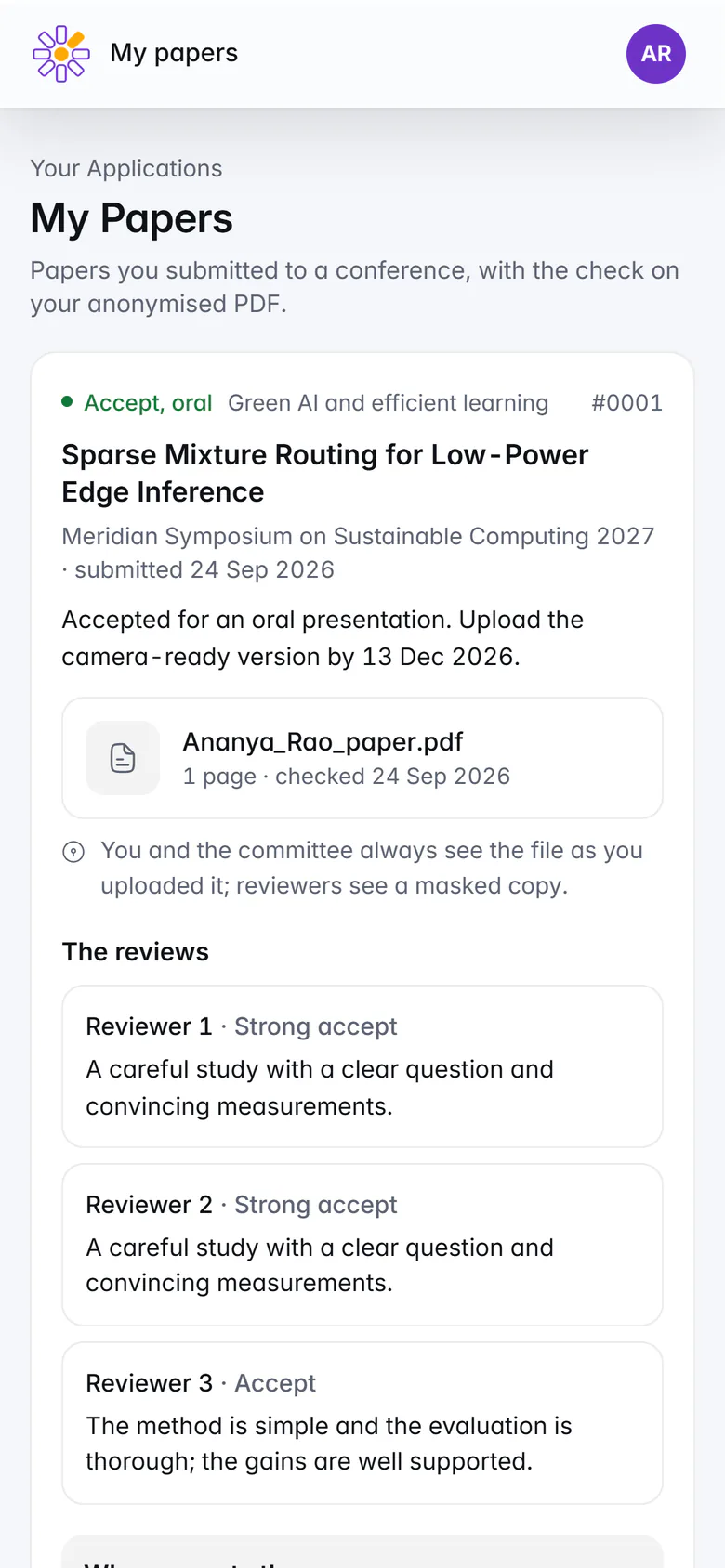
An author's papers on a phone: the decision, the checked PDF and the reviews. Double-blind review
Review that stays double-blind
Reviewers see a masked PDF beside the form. Authors never learn who reviewed their paper.Reviewers see each paper's number, title, abstract and a masked PDF beside the review form. Authors never learn who reviewed their paper, other reviewers appear as Reviewer 1, 2 and 3, and reviewers declare their conflicts of interest.
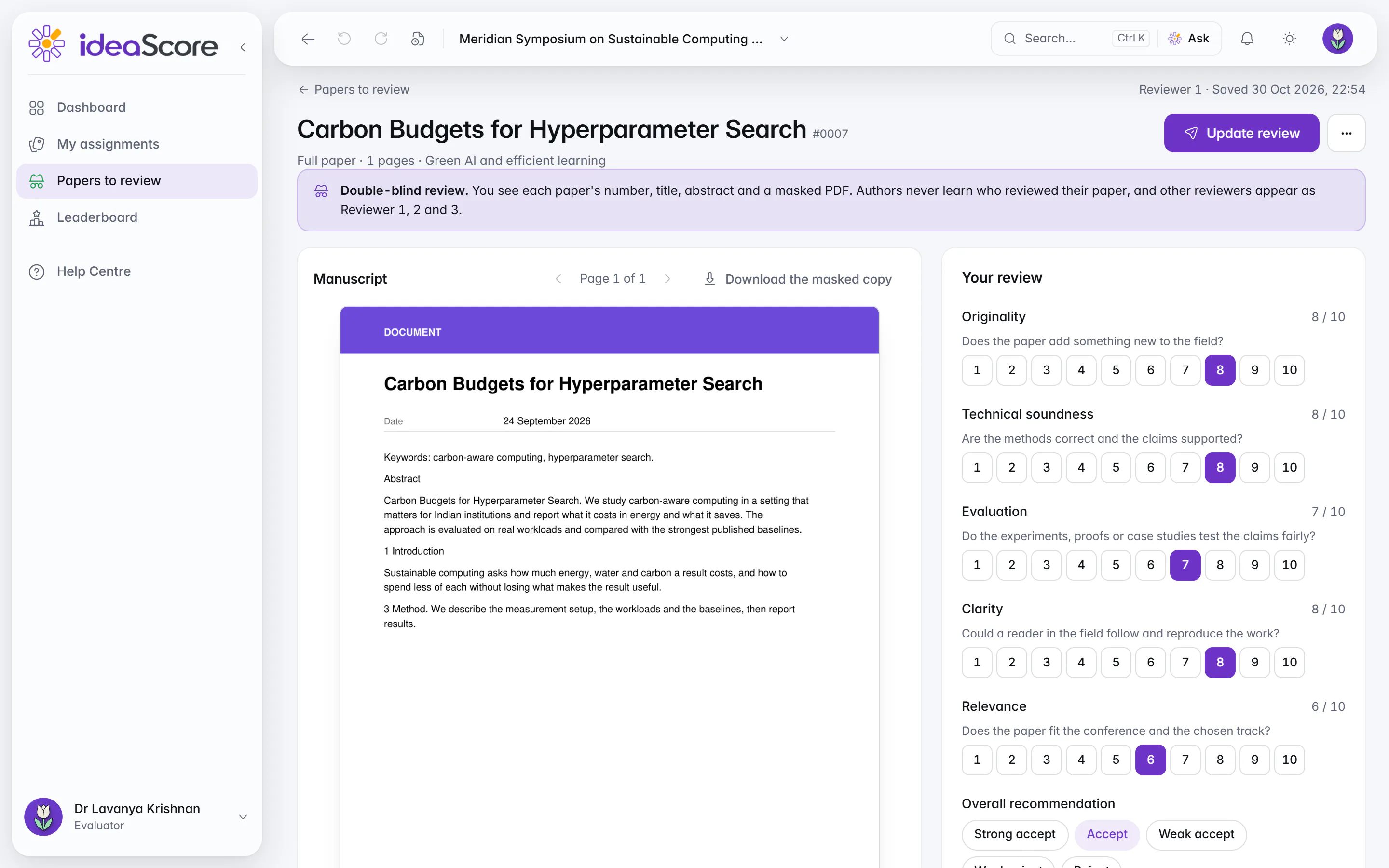
A reviewer's view: the masked manuscript beside the review form. Decisions
Decide with author names hidden
Reviews, average and spread for every paper, author names hidden. Record each decision and send the letters.The programme chair sees every paper's reviews, average and spread, with author names hidden by default, and records accept for an oral or a poster, or reject. Papers whose reviewers disagree are gathered for a discussion, and the decision letters go out from the same page.
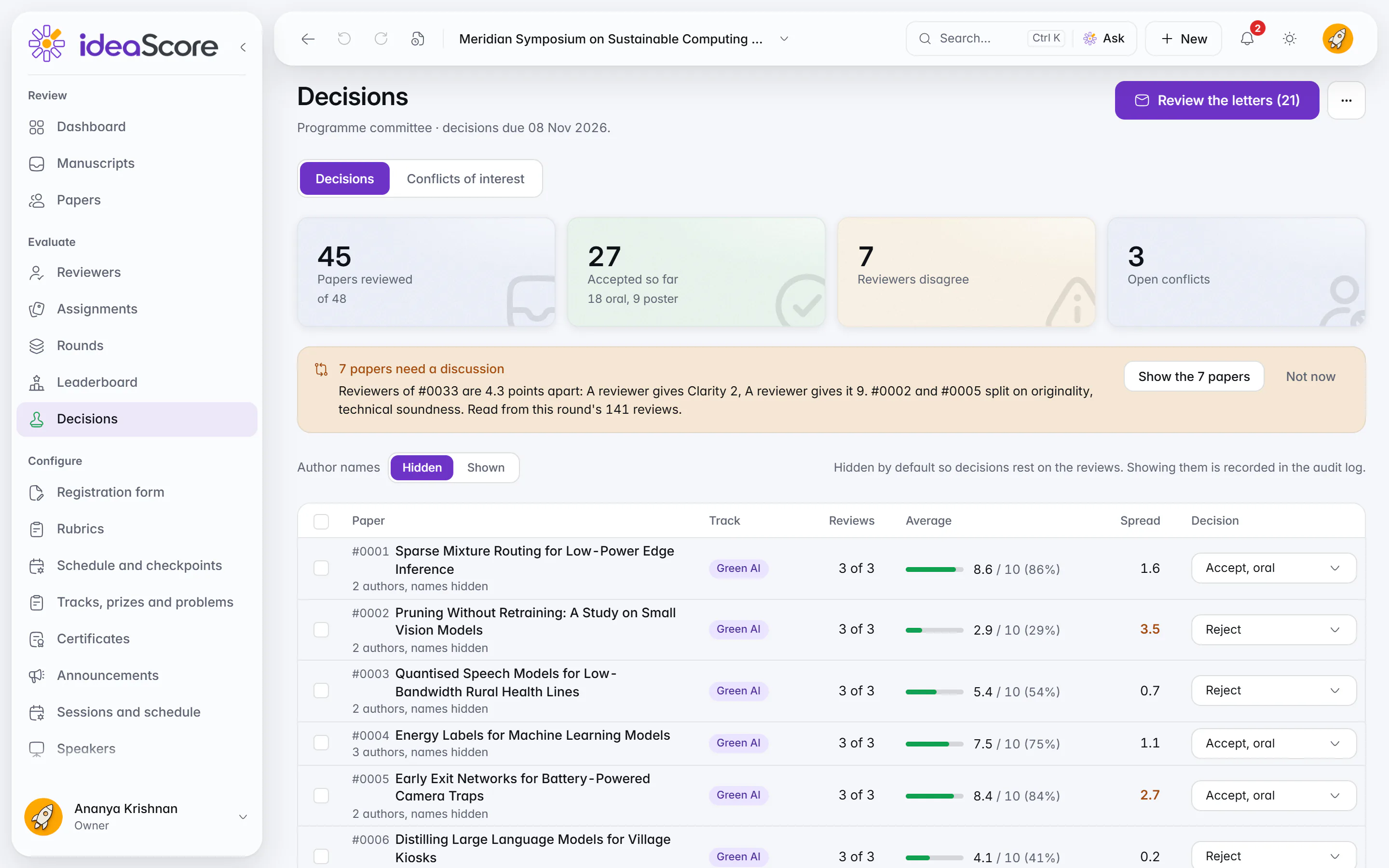
Decisions with author names hidden: reviews, average and spread for every paper. Sessions
Build the sessions and the schedule
Rooms run across and time slots down. Place accepted papers into sessions, add the keynotes and name a chair for each session, then publish the programme.
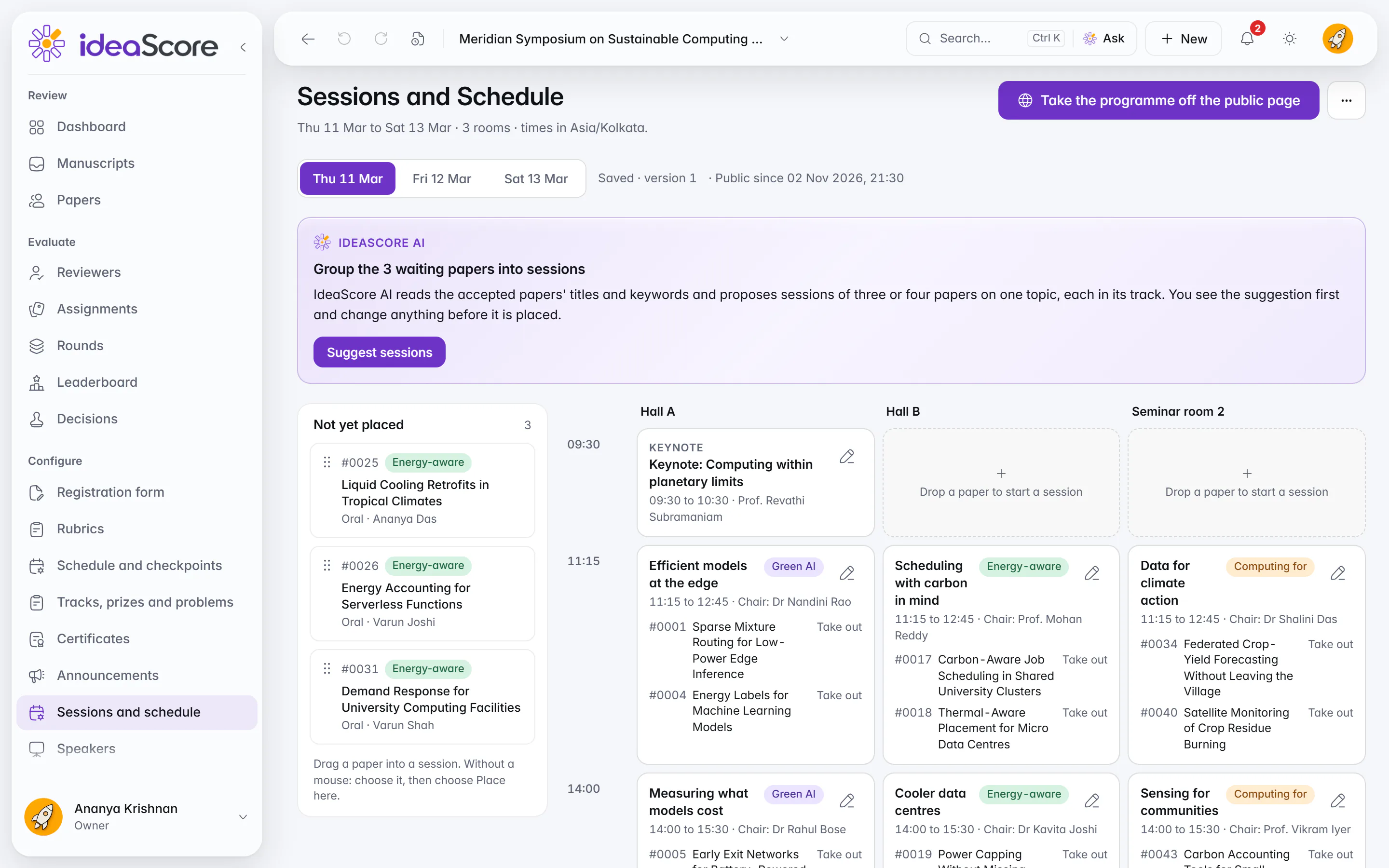
Sessions and schedule: rooms across, time slots down, a chair for every session. Speakers
Keynotes and presenting authors in one list
Invite keynote speakers and see every presenting author's profile at a glance.Invite keynote speakers and see every presenting author's profile at a glance. An author becomes a speaker once the paper is accepted and the letter has gone out, and published profiles show on the public programme.
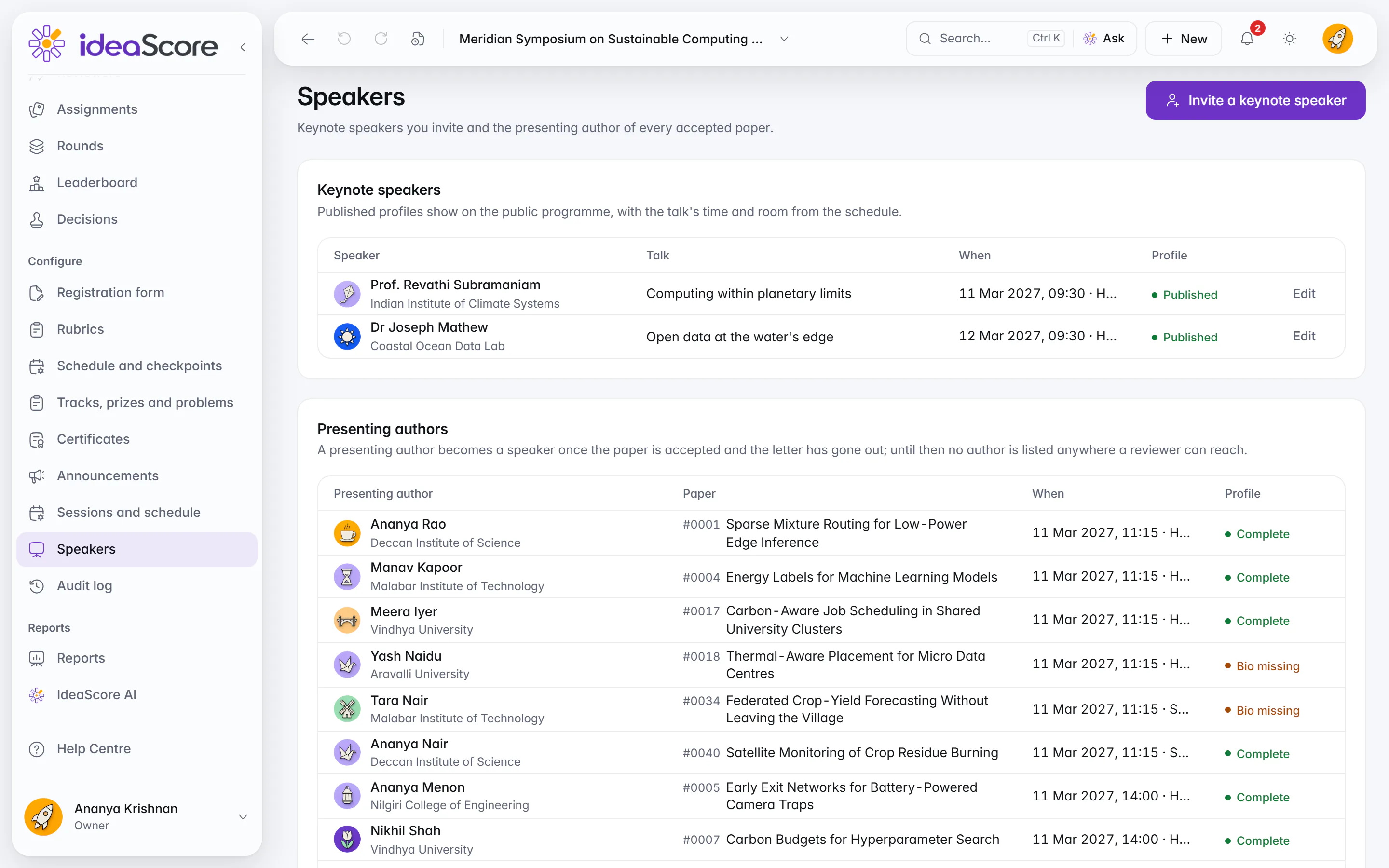
Keynote speakers and presenting authors, with each profile's status. Public programme
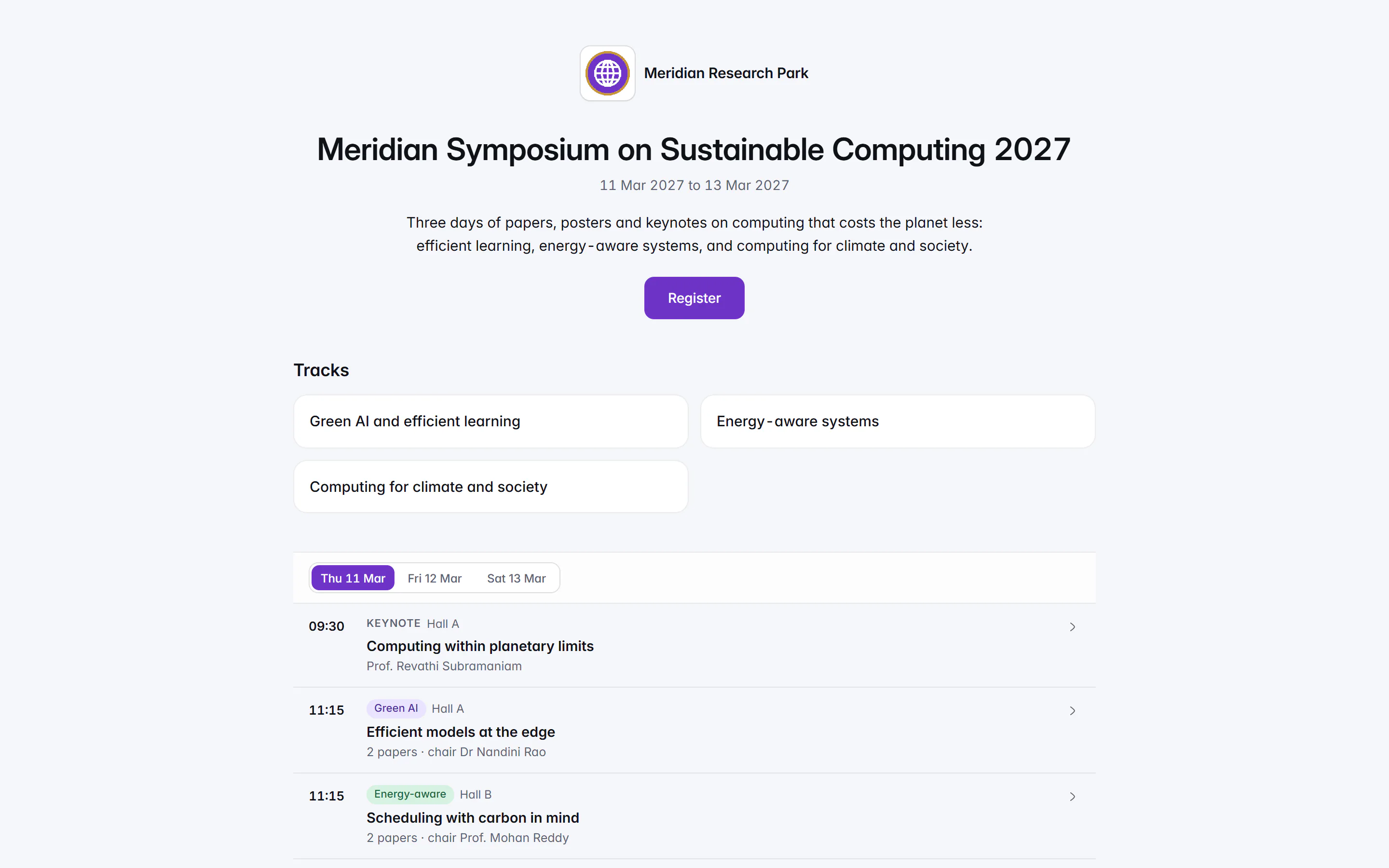
A public programme attendees open on their phones
Publish a public page for the conference with its tracks and each day's sessions, rooms, chairs and keynotes, laid out for a phone as well as a large screen.
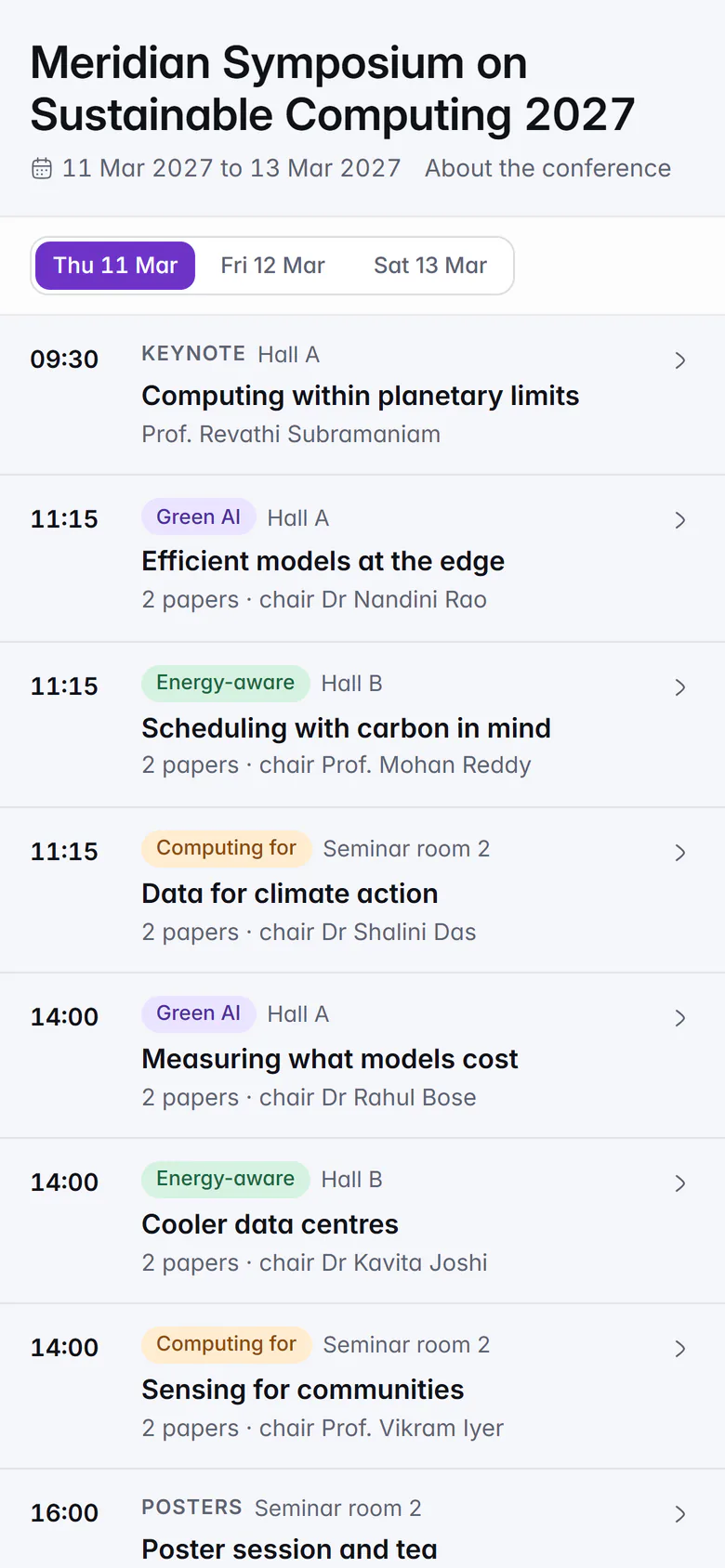
The public programme: the tracks, then each day's sessions.
Questions About Conferences
See Your Kind of Event Set Up in IdeaScore
A 30-minute walkthrough with a product specialist, using your event's type, words and rounds.
Conferences
Take paper submissions, review them double-blind and build the programme.
- Who it is for
- Academic and industry conferences, from the call for papers to the public programme.
- The words it uses
- EntrypaperSubmissionmanuscriptParticipantauthorEvaluatorreviewerEventconference
- How it is judged
- Reviewers score a masked manuscript double-blind on originality, technical soundness, evaluation, clarity and relevance, with an overall recommendation. The programme chair decides: accept for an oral or a poster, or reject.
- Rounds it suggests
- Abstract registrationFull paperDouble-blind reviewAuthor responseProgramme committeeCamera-ready
- Switched on for you
- Schedule and checkpointsTracks, prizes and problemsCertificates
Authors follow their paper from any phone
Authors submit with an anonymity check, then see the decision and the reviews, signed Reviewer 1, 2 and 3.
Review that stays double-blind
Reviewers see a masked PDF beside the form. Authors never learn who reviewed their paper.
- No author names, affiliations or original file names in a double-blind round
- Affiliation, institution, author and ORCID answers stay hidden
Decide with author names hidden
Reviews, average and spread for every paper, author names hidden. Record each decision and send the letters.
Build the sessions and the schedule
Rooms run across and time slots down. Place accepted papers into sessions, add the keynotes and name a chair for each session, then publish the programme.
Keynotes and presenting authors in one list
Invite keynote speakers and see every presenting author's profile at a glance.
A public programme attendees open on their phones
Publish a public page for the conference with its tracks and each day's sessions, rooms, chairs and keynotes, laid out for a phone as well as a large screen.