


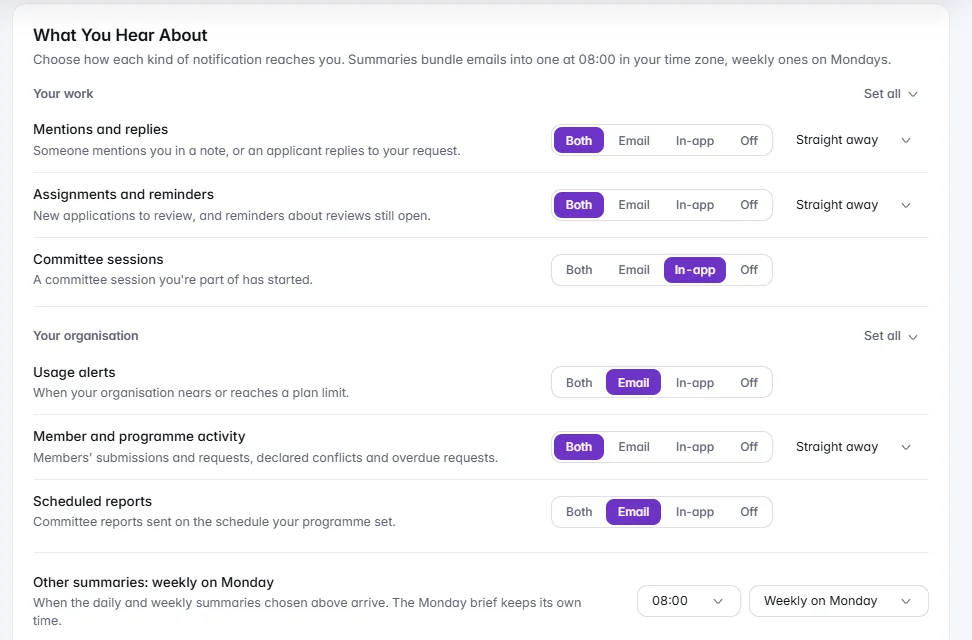
A welcoming sign-in your IT team will approve
Eight short slides beside sign-in on a large screen, clean on a phone. Google or Microsoft sign-in, and your own domain for staff on Enterprise.
Sign-in your IT team approves, roles that open exactly what they should, your name on everything applicants see, and data that stays yours: exported whenever you like and backed up every night.
Sign-in your IT team approves, roles that open what they should, your name on what applicants see, and data that stays yours.
Eight short slides beside sign-in on a large screen, clean on a phone. Google or Microsoft sign-in, and your own domain for staff on Enterprise.On a large screen the sign-in page shows IdeaScore in eight short slides; on a phone it is clean and focused. People sign in with Google or Microsoft where your organisation allows it, and come back to the page they were on. On Enterprise, single sign-on lets owners require staff to use your Google Workspace or Microsoft Entra domain, with a preview of who is affected. Applicants are never affected.
Built-in owner, programme admin and evaluator; ready-made roles; your own roles from a permissions grid, for the whole organisation or one programme.Owner, programme admin and evaluator are built in. Ready-made roles such as Review lead, Viewer/Auditor and Finance can be given as they are or copied, and a new role is a name and the permissions you tick, area by area. Give a role for the whole organisation or for one programme. Permissions are enforced on every page and action, and people see only what they can use.
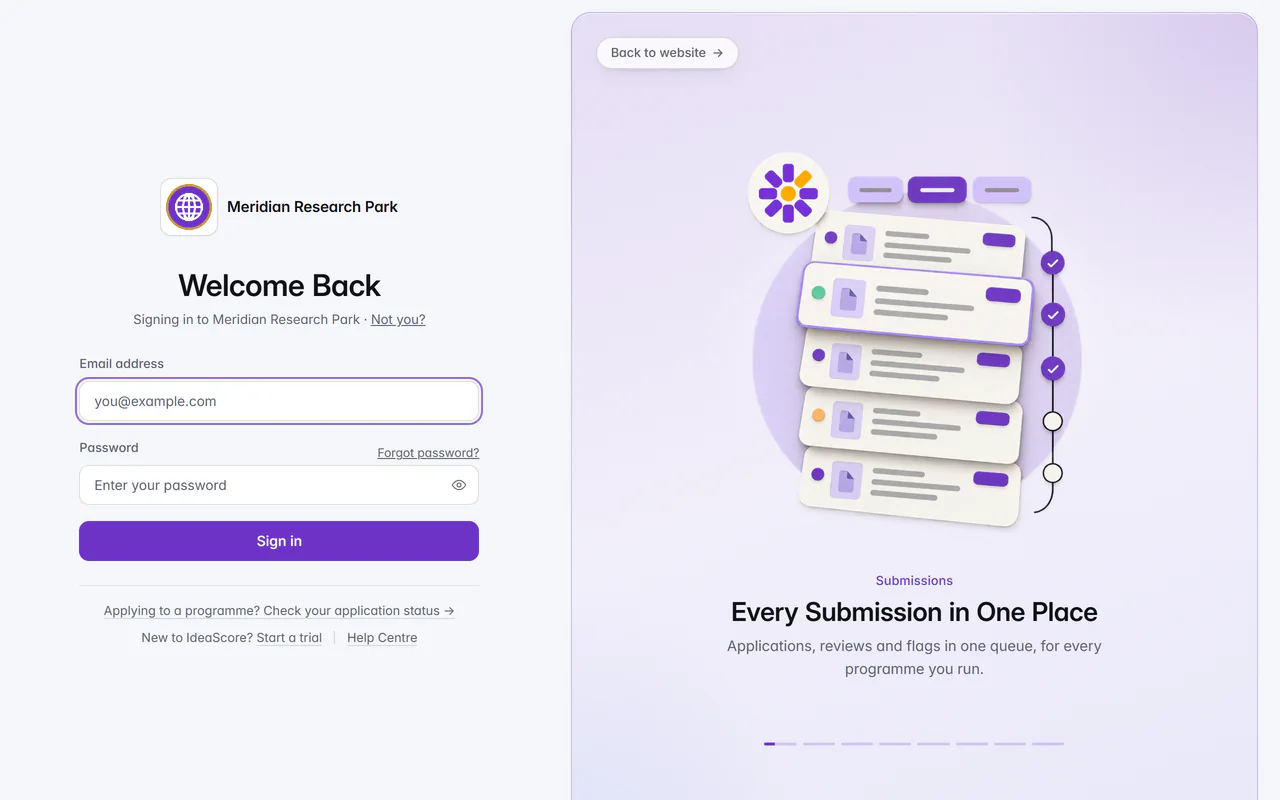
Your name, logos and colours on public pages, pitch screens, share cards and emails. White-label adds your own web address, email domain and sign-in words.Set your portal name, tagline, support email, website, logos and colours once, and they carry onto your public pages, pitch screens, share cards and emails. Inside the app, buttons stay IdeaScore violet and the IdeaScore lockup stays, so the product reads the same for everyone. White-label adds your own web address, emails from your own domain, and your own sign-in headline and description.
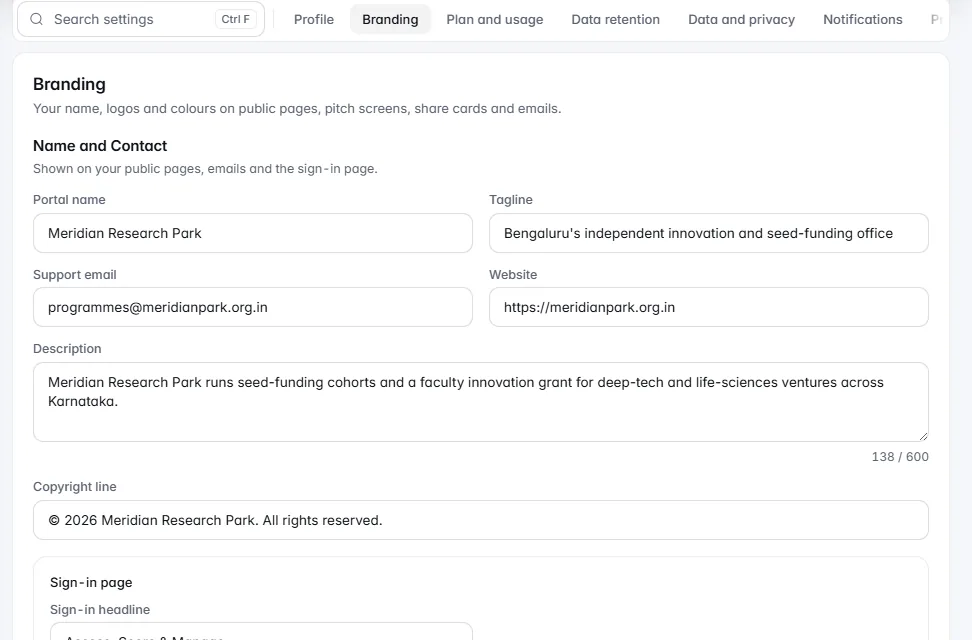
Export everything as one ZIP at any time, including for 90 days after a plan ends. Nightly encrypted backups, kept 30 daily and 12 monthly.Owners export the whole organisation as one ZIP whenever they need it: every record as JSON and as a spreadsheet-friendly CSV, with a README that explains the files. That includes a 90-day exit after a plan ends, while the organisation is read-only. Every night your data is backed up, encrypted with AES-256-GCM before it leaves the server, stored away from the servers that run the app, and kept as 30 daily and 12 monthly copies.
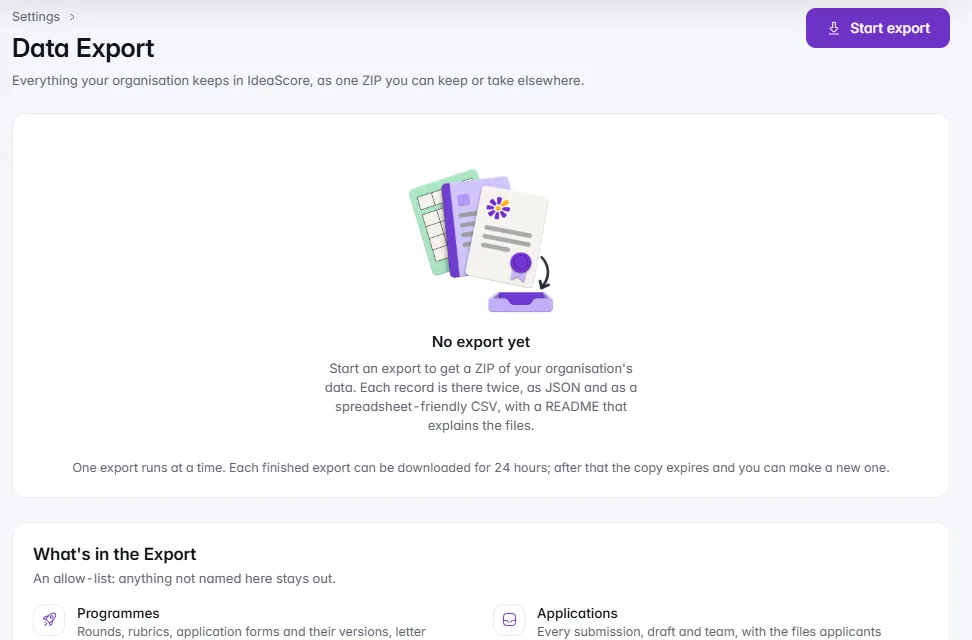
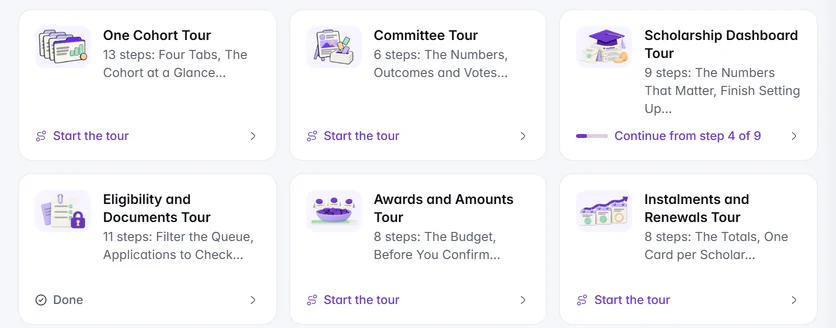
Mentions and assignments in two lines each, grouped by day. Choose how each kind reaches you, and get a Monday brief per programme at 08:00.The bell gathers mentions, assignments and replies in two short lines each, grouped by day, with announcements from your owners on their own tab. Choose for each kind whether it reaches you by email, in the app, both or not at all. Every Monday at 08:00 in your organisation's time zone, owners and programme admins get one brief per programme: last week's figures, what needs them and the week's deadlines.
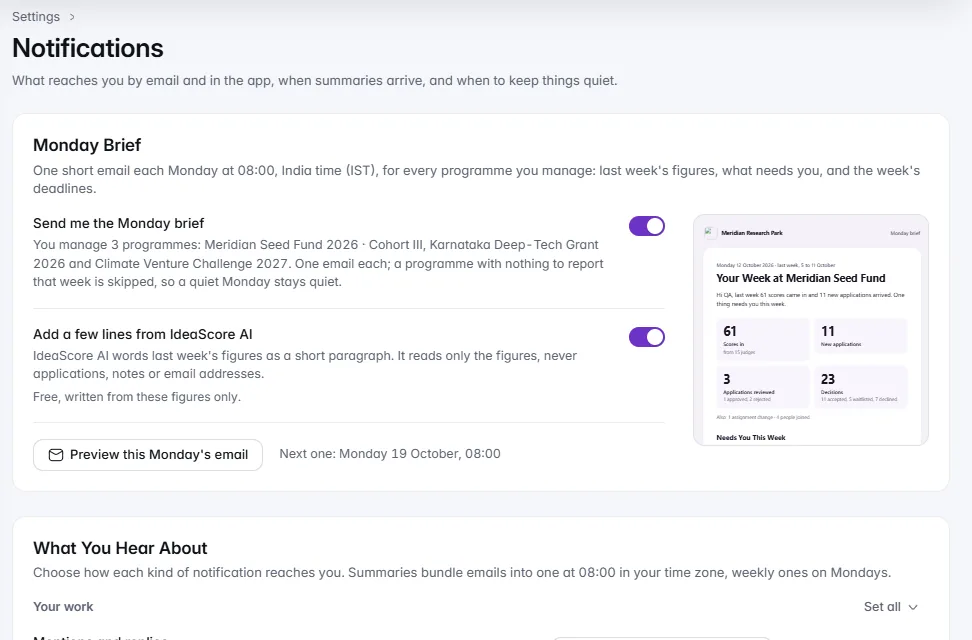
A tour for every main page and every kind of programme. Help Centre cards show where you stopped, so you carry on from that step.Every main page has a short tour you open from its menu, and every kind of programme has its own: scholarship dashboards, CSR pages and the conference set-up guide included. In the Help Centre, walkthrough cards are all the same size and show where you stopped, so you can pick a tour up again at the step you left.
Install it on a computer or phone. A page that cannot load says so, with a reference to send support. The status page shows 90 days at a glance.Staff install IdeaScore on a computer or phone, where the browser allows it, and it opens in its own window with its own icon; nothing from your programmes is stored on the device. When part of a page cannot load, it says so with Try again and a short reference to copy for support, and never shows a zero it has not counted. The public status page shows the app, the API, email and IdeaScore AI, with 90-day bars and Report a problem.
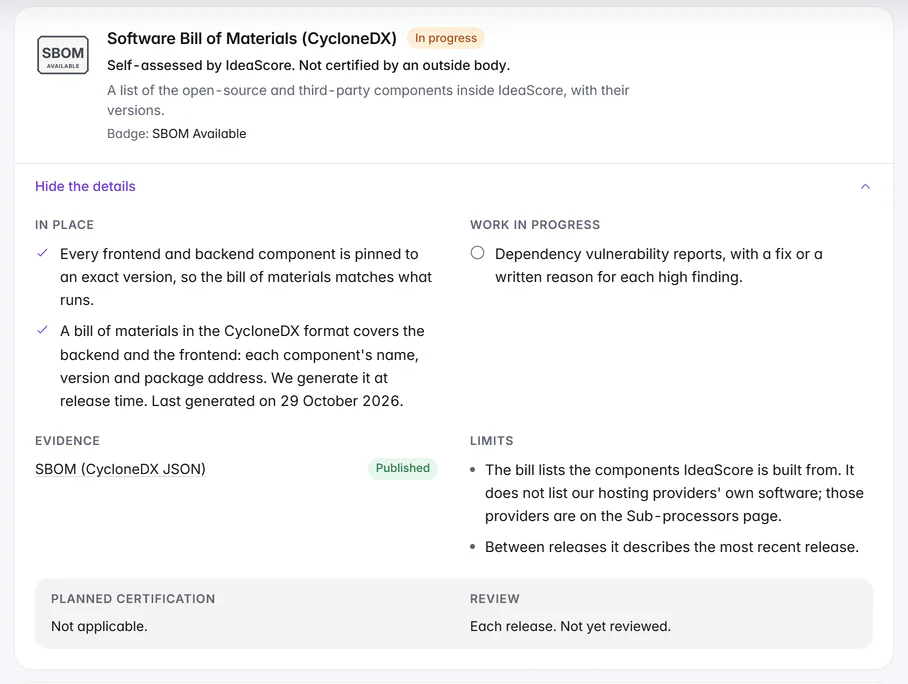
The standards we work to, each with its evidence and limits. Every document support opens in your organisation is recorded in your audit log.The Trust Centre lists the laws and standards we work to, each with what is in place, the evidence and the limits, alongside an accessibility statement and a published software bill of materials. When IdeaScore support views your organisation, every document it opens is recorded in your audit log. Private files open only for the people who need them, and shared links expire.
Our cloud, set up by our team and kept current by us. Self-hosting on your own infrastructure, on request, on Enterprise.IdeaScore runs in our cloud, set up by our team and kept current by us. Disks are encrypted at rest by our database and storage providers, and backups run every night. Self-hosting on your own infrastructure, on request, is an Enterprise option.
Eight short slides beside sign-in on a large screen, clean on a phone. Google or Microsoft sign-in, and your own domain for staff on Enterprise.
Built-in owner, programme admin and evaluator; ready-made roles; your own roles from a permissions grid, for the whole organisation or one programme.
Your name, logos and colours on public pages, pitch screens, share cards and emails. White-label adds your own web address, email domain and sign-in words.
Export everything as one ZIP at any time, including for 90 days after a plan ends. Nightly encrypted backups, kept 30 daily and 12 monthly.
Mentions and assignments in two lines each, grouped by day. Choose how each kind reaches you, and get a Monday brief per programme at 08:00.
A tour for every main page and every kind of programme. Help Centre cards show where you stopped, so you carry on from that step.
Install it on a computer or phone. A page that cannot load says so, with a reference to send support. The status page shows 90 days at a glance.
The standards we work to, each with its evidence and limits. Every document support opens in your organisation is recorded in your audit log.
Our cloud, set up by our team and kept current by us. Self-hosting on your own infrastructure, on request, on Enterprise.
A trial ends read-only at once, with nothing deleted. A paid plan that lapses has a grace period first. Read-only keeps everything readable and exportable.A trial has no grace period: when it ends, the organisation becomes read-only at once, IdeaScore AI stops, and everything you built is still there. A paid plan that lapses has a grace period first, with a strip that says until when. Read-only means everything can be read and exported, and nothing new added, until a plan is chosen.
A trial
Trial
Read-only
A paid plan
Active
Grace
Read-only
Google and Microsoft sign-in
Single sign-on
Two-step sign-in
Account guard
Custom roles
Branding
White-label add-on
Data export
Nightly backups
Deleted items
Support access you can see
Erasure
Guided tours
Monday brief
Install the app
Error references
Status page
IdeaScore API v1.5, public beta
Google and Microsoft sign-in
Single sign-on
Two-step sign-in
Account guard
Custom roles
Branding
White-label add-on
Data export
Nightly backups
Deleted items
Support access you can see
Erasure
Guided tours
Monday brief
Install the app
Error references
Status page
IdeaScore API v1.5, public beta
A 30-minute walkthrough with a product specialist, using your programme's form and criteria.