


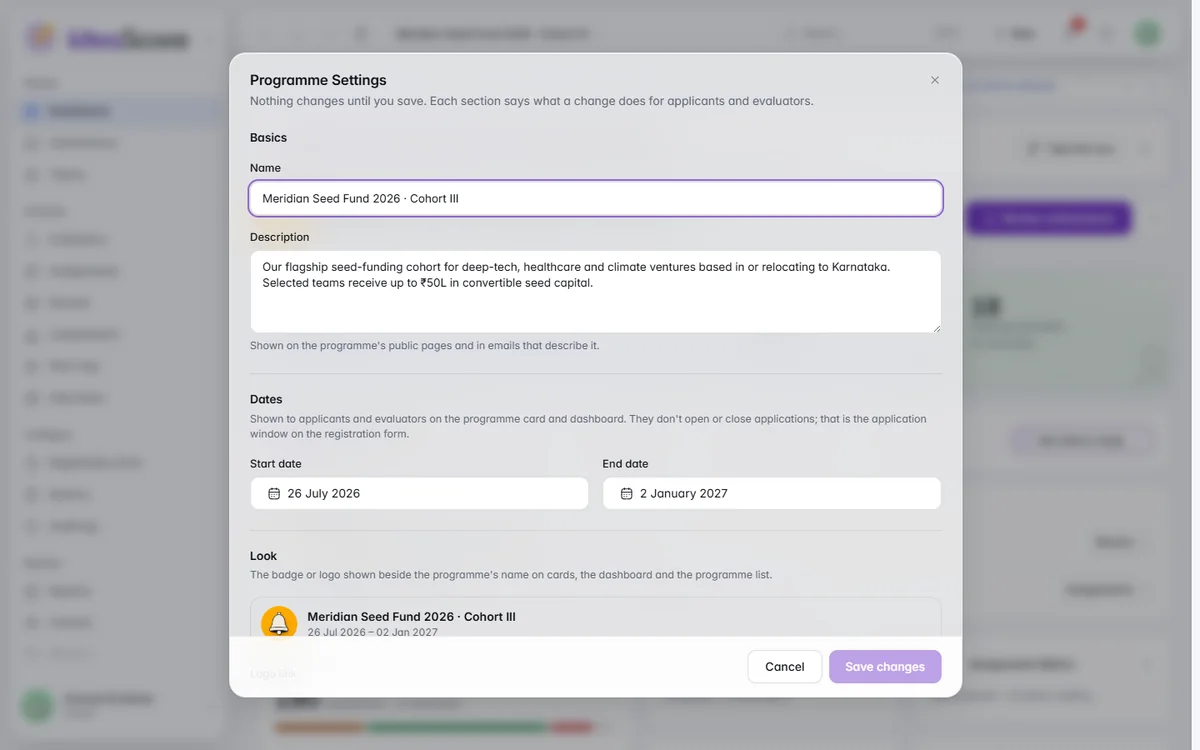
Every setting up front, in one window
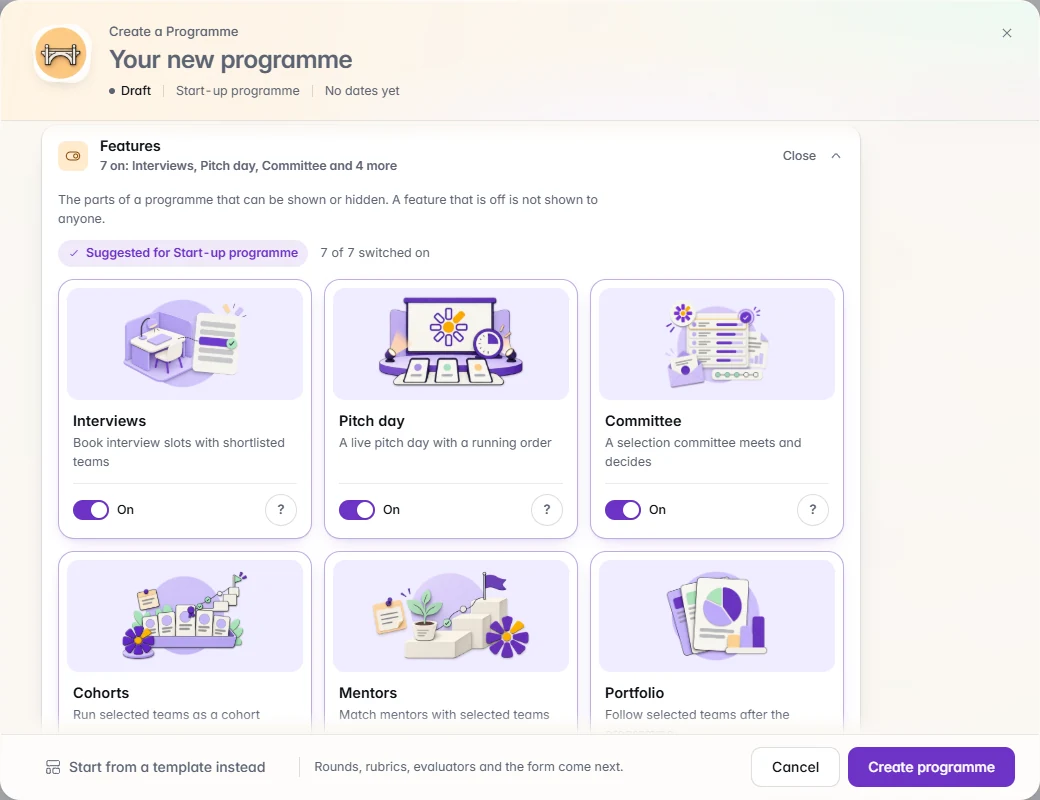
The whole programme in one window: name, type, words, features, dates and look. Every part starts sensibly set, and nothing is created until you say.
Choose what you run and every screen speaks its language. Start from your handbook, a complete template or a blank page, build a form applicants finish, and see the step where they give up.
Start from your handbook, a template or a blank page, build a form applicants finish, and see where they give up.
The whole programme in one window: name, type, words, features, dates and look. Every part starts sensibly set, and nothing is created until you say.New programme opens Create a Programme with the whole programme in view: its name, event type, words, features, dates and look. Every part starts sensibly set, so you open only what you want to change. Features are cards with a picture, a line on what each adds and a helper, the ones your type suggests first. Nothing is created until you press Create programme.
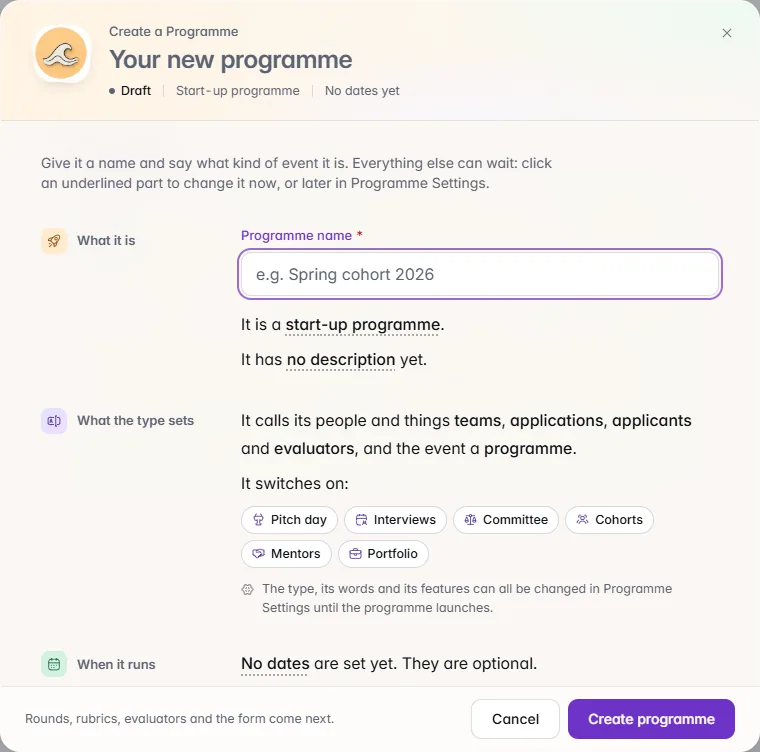
Each programme type sets the words people see, such as teams and judges or nominees and jurors, and switch on the features that suit. Rename any word yourself.Pick from 18 programme types, from incubators, accelerators, grants and fellowships to hackathons, moot courts, coding contests, conferences, scholarships and awards, and CSR funding. The type sets the words people see across the programme, its public pages and the applicant portal, and switches on the features that suit it. Rename any of the six words yourself; nothing you have stored is rewritten.

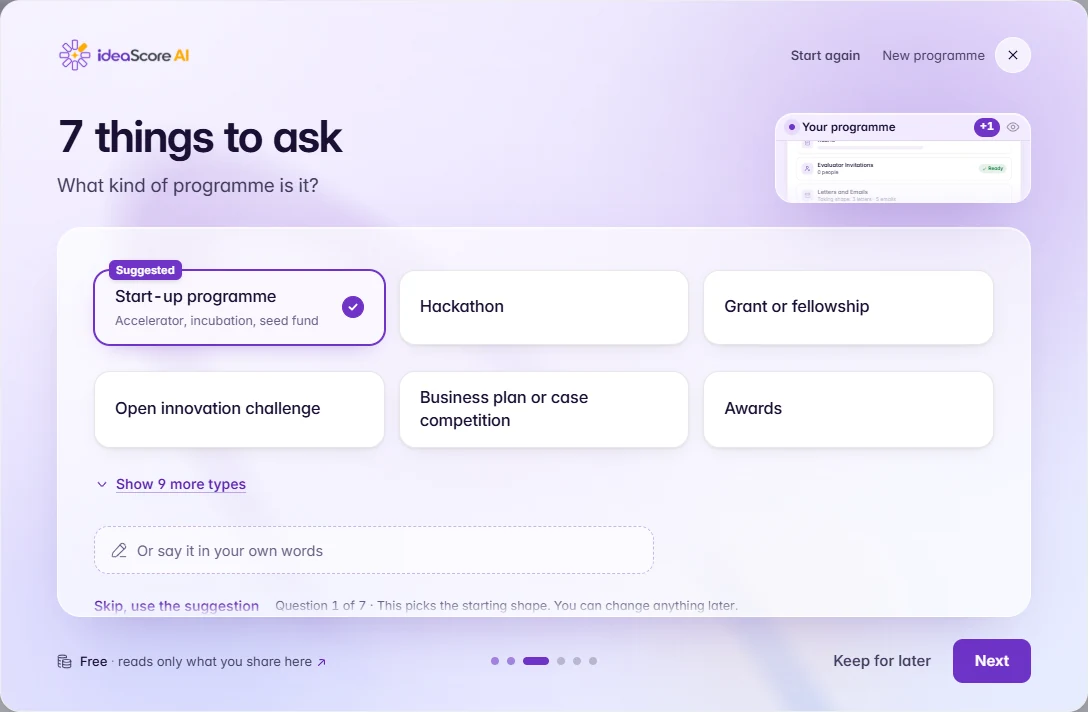
Share your handbook, website or a sentence, and IdeaScore AI drafts the form, rubric, rounds, letters and emails. Keep or skip each part before anything is created.Share a handbook or brief, your website's page or a sentence in your own words, and IdeaScore AI drafts the form, rubric, rounds, letters and emails for your kind of programme. A live preview shows each part as it is written. Keep, edit or skip each one, and the programme is created as a draft with registrations closed.
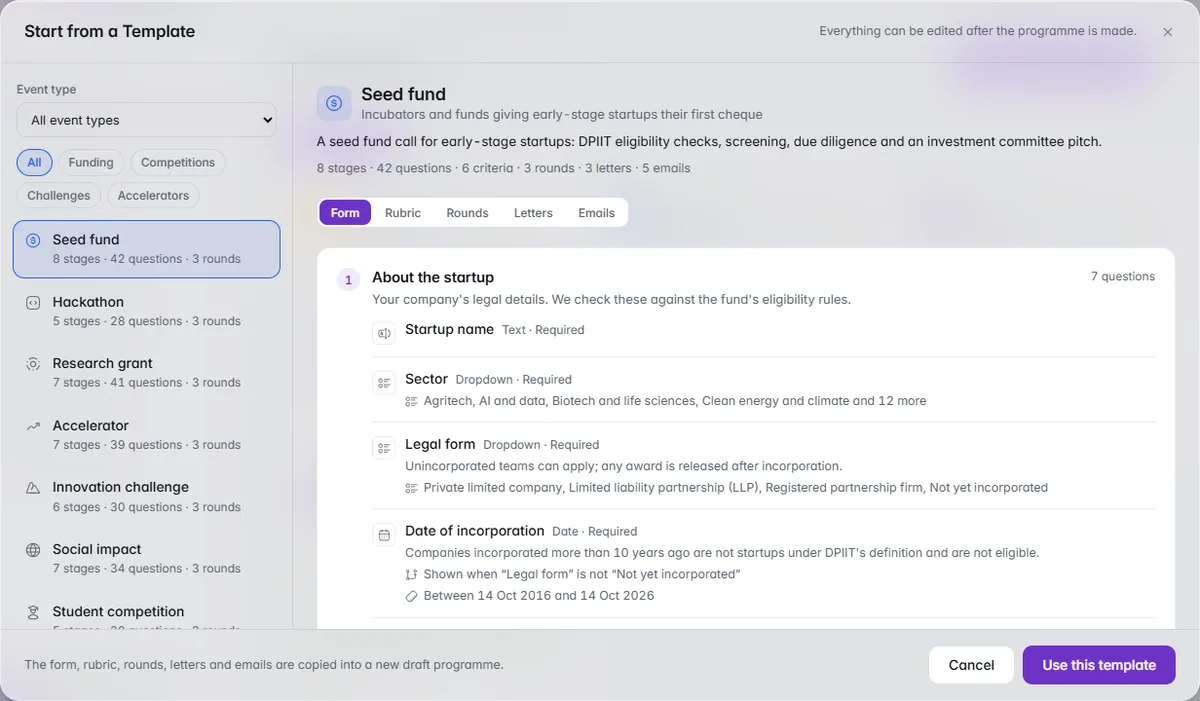
Nine whole-programme templates, each with a form, rubric, three dated rounds, letters and five emails. Preview every part before you choose.Start from one of nine whole-programme templates, from seed fund and hackathon to research grant and government scheme. Each brings a form, a rubric, three rounds on a dated timeline, accept, waitlist and decline letters, and five emails. Preview every part first, give a start date and the rounds are dated from it. Applications and people are never part of a template.
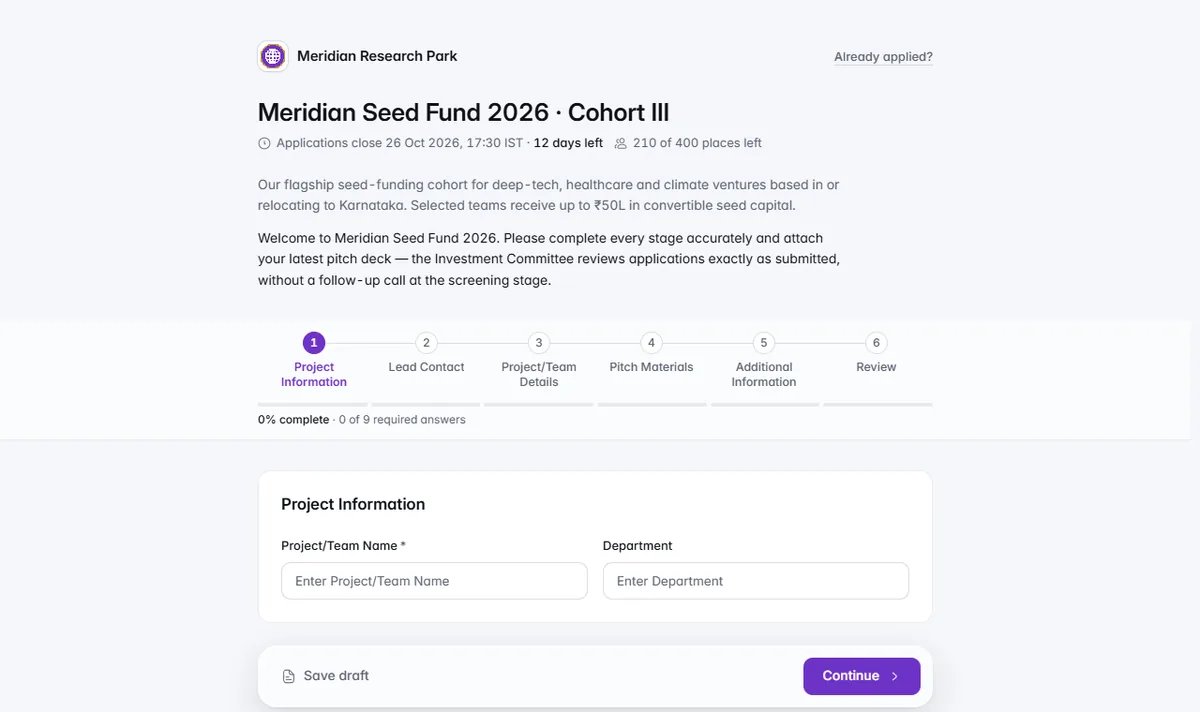
Stages, conditions and a live preview while you edit. Form check suggests fixes, and What are we missing? finds rubric criteria no question asks about.Lay the form out in stages, drag questions between them and show a question only to the people it applies to. Each question redraws as applicants will see it while you edit, the Flow map shows every path, and Preview as applicant walks the real thing. Form check lists fixes and tips, and What are we missing? finds rubric criteria no question asks about yet.
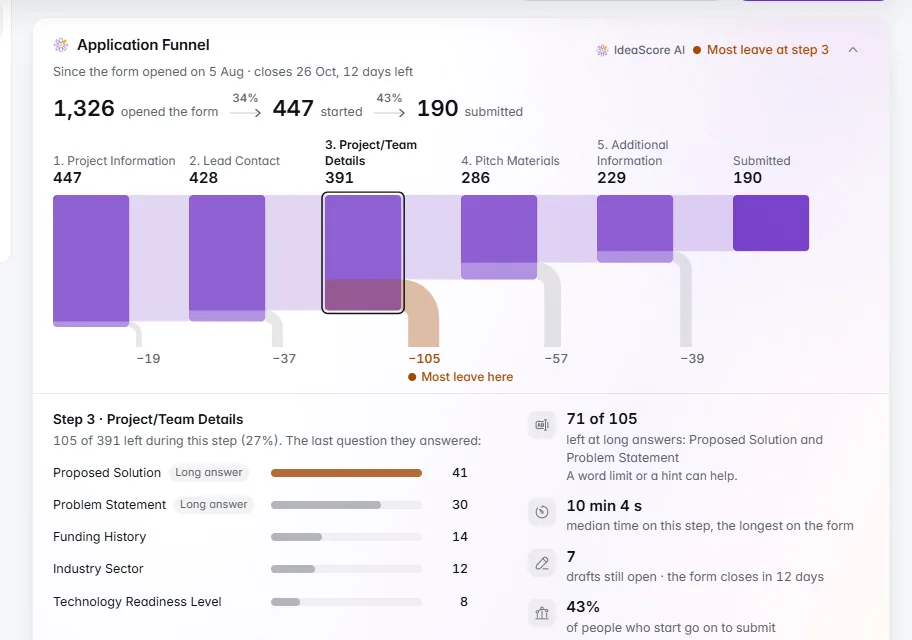
Opened, started, submitted, and the step where most people leave, with the question they stopped at and a link to fix it. No outside trackers.The Application Funnel sits above the builder: how many opened the form, started and submitted, and the step where most people leave, marked in amber. Open it for the last question answered before they left, how long the step takes and the drafts still open, then edit that step in one click. IdeaScore counts visits itself, with no outside trackers.
Your programme read back in sentences. Click an underlined value to change it, then check every change in plain words before one Save.Programme Settings reads your programme back in plain sentences. Click any underlined value to change it in place, find a setting by searching for it, and see every change listed in plain words, each with Undo, before one Save covers the lot. Event type, words, dates, evaluator privacy and features all live here.
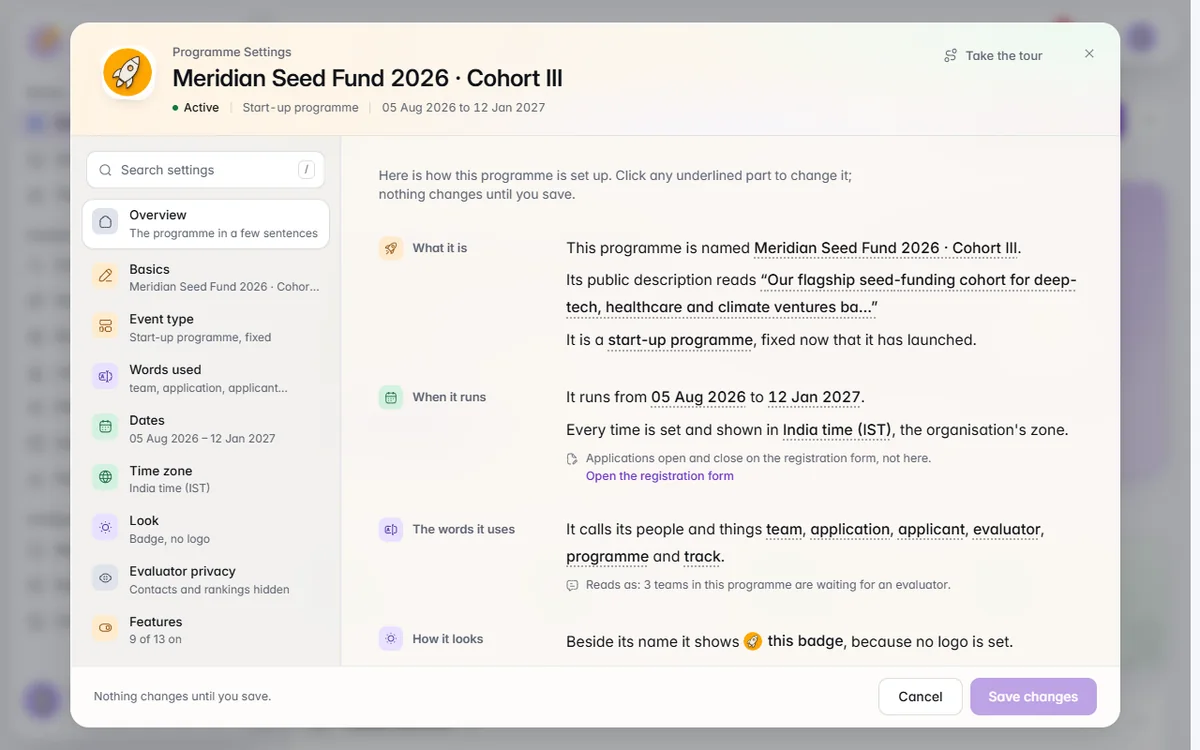
Every date in a programme follows its own time zone, written in plain words such as India time (IST), with your own time beside it.Give a programme its own time zone and every date in it follows: registration, rounds, checkpoints, the public vote, committee sessions, the applicant portal and the programme's emails. Times say where they are in plain words, such as India time (IST), and people see their own time beside the programme's where the two differ.
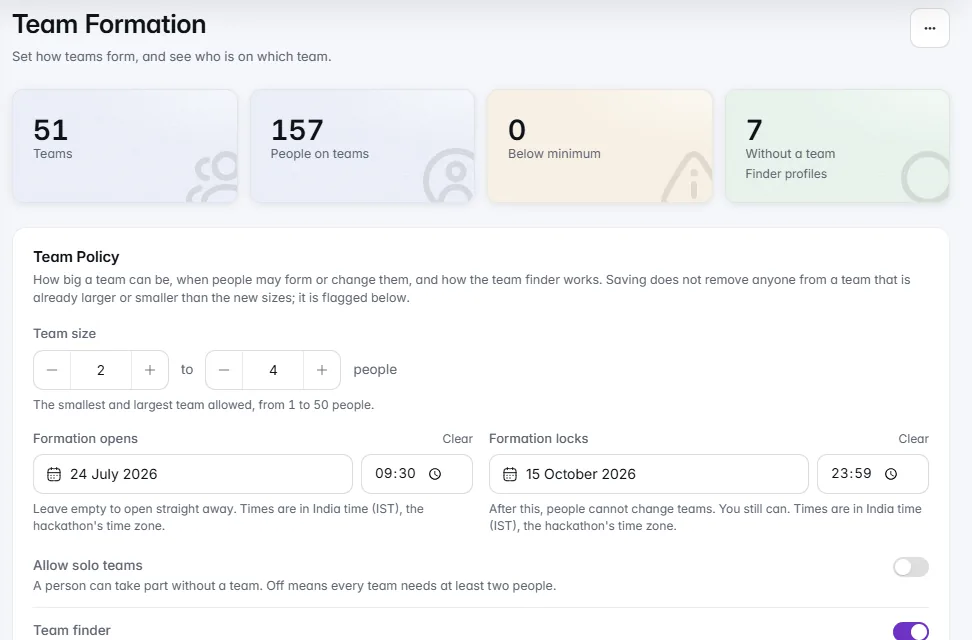
Teams form inside IdeaScore, with a team finder that never shows email addresses. Checkpoints collect repositories, videos and decks by a date.For hackathons and contests, teams form inside IdeaScore: set the sizes and a lock date, and people without a team find one through the team finder, where email addresses are never shown. Checkpoints ask every team for a repository, demo video, deck or file by a date, with a grid of who sent what. Tracks, prizes and problem statements share one event page.
The whole programme in one window: name, type, words, features, dates and look. Every part starts sensibly set, and nothing is created until you say.
Each programme type sets the words people see, such as teams and judges or nominees and jurors, and switch on the features that suit. Rename any word yourself.
Share your handbook, website or a sentence, and IdeaScore AI drafts the form, rubric, rounds, letters and emails. Keep or skip each part before anything is created.
Nine whole-programme templates, each with a form, rubric, three dated rounds, letters and five emails. Preview every part before you choose.
Stages, conditions and a live preview while you edit. Form check suggests fixes, and What are we missing? finds rubric criteria no question asks about.
Opened, started, submitted, and the step where most people leave, with the question they stopped at and a link to fix it. No outside trackers.
Your programme read back in sentences. Click an underlined value to change it, then check every change in plain words before one Save.
Every date in a programme follows its own time zone, written in plain words such as India time (IST), with your own time beside it.
Teams form inside IdeaScore, with a team finder that never shows email addresses. Checkpoints collect repositories, videos and decks by a date.
Programme emails
Import from a spreadsheet
What are we missing?
Version history
Flow map and preview
Form check
Tracked links
Personal answers cleared
Resume link
Team finder
Agenda
Event page
Clone a programme
Single parts from a template
Programme emails
Import from a spreadsheet
What are we missing?
Version history
Flow map and preview
Form check
Tracked links
Personal answers cleared
Resume link
Team finder
Agenda
Event page
Clone a programme
Single parts from a template
A 30-minute walkthrough with a product specialist, using your programme's form and criteria.
